This feature is available to gyms on the Business Tier and above.
Using a thermal receipt printer provides an alternative check-in method for climbers who do not have the BETA app. This will only display if your EPSON printer is connected.
The QR code printed on the receipt is valid for 24 hours and will check in the climber using the pass linked to their account.
Note, the QR that is printed is linked to the customer, they still need a pass on their account in order to check in. The pass on their account will be debited.
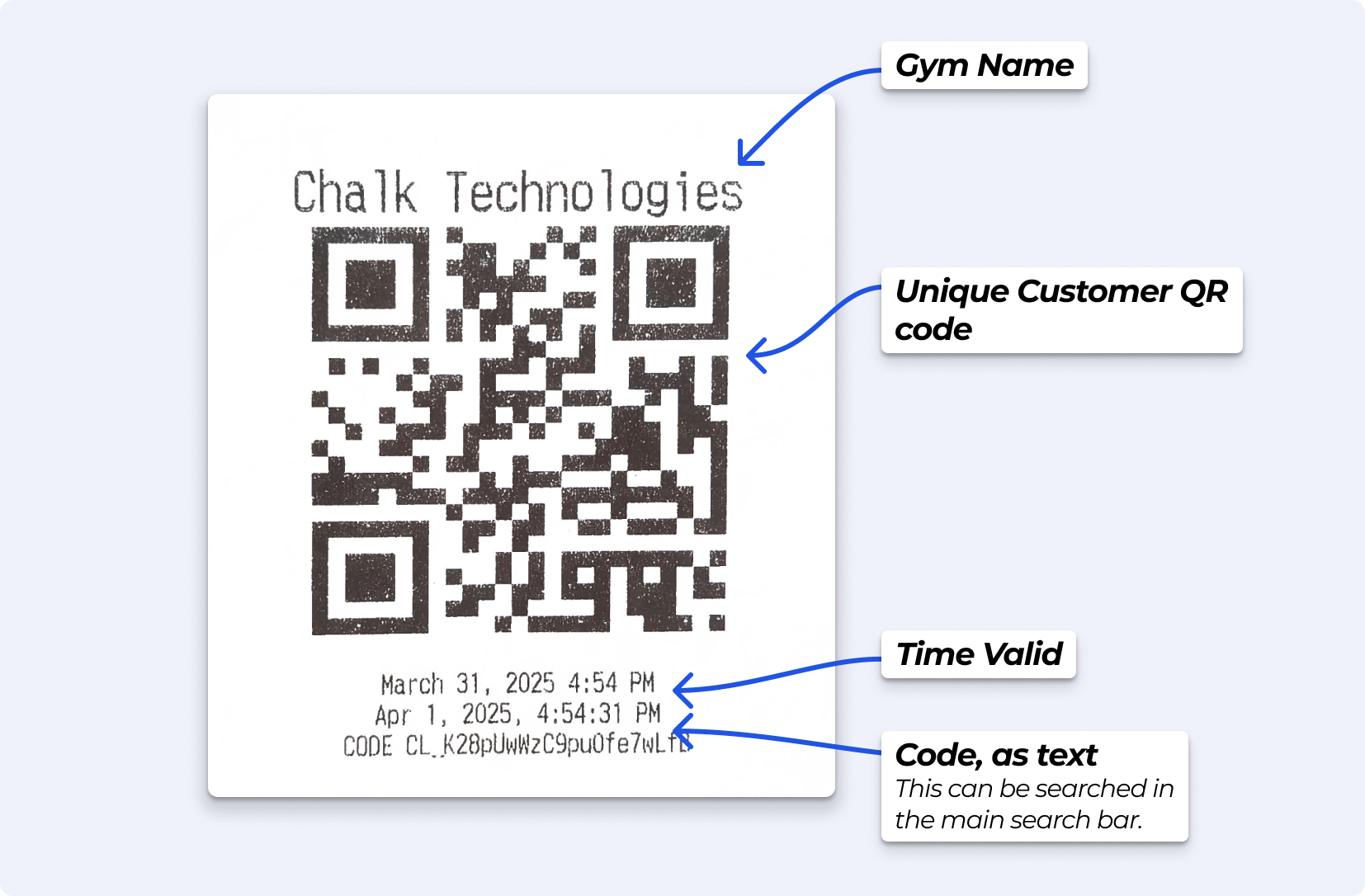
The receipt includes your gym’s name and a QR code, which can be scanned at turnstiles, in the dashboard, or in the BETA app to complete check-in. The QR code is valid for 24 hours and displays its expiration time (Time Valid).
Below the QR code, a unique code is printed, allowing staff to manually enter it in the search bar if a scanner is unavailable or if experiencing any issues.
This triggers the thermal EPSON printer to generate a Check-In Receipt for the selected climber.

BETA's Hardware Requirements
Essential guidance for BETA's hardware requirements and recommendations to ensure optimal performance and compatibility for your gym's setup.
If a climber doesn’t use the BETA app, they can check in using a printed thermal receipt. The QR code on the receipt is valid for 24 hours and can be scanned at the turnstiles, in the dashboard, or manually entered if needed.
Day Pass users can check in as usual. The QR code on their receipt will remain valid until the expiration time set for the entry type, ensuring they can access the facility for the duration of their pass.
Yes, the QR code on the printed receipt can be used for both check-in and check-out. When scanned at the turnstile, it will either grant entry or register an exit, depending on the climber's current status. This ensures accurate tracking of facility usage.
BETA connects with Epson printers, specifically.
 BETA's Hardware Requirements
Essential guidance for BETA's hardware requirements and recommendations to ensure optimal performance and compatibility for your gym's setup.

Still Lost? We’ve got you covered!
Use the search box on the main Help to search the entire list of available help guides, or drop your question in the Support Chat!
