This feature is an add-on bundle — contact BETA Sales if interested.
The BETA team will assist in the creation of your Restaurant floor Layout. The design is consistent across the BETA app for optimal legibility and seamless POS integration.
Floors are used to organize your tables into groups. Floors can reflect the actual layout of your restaurant for table-service environments, or organize tables into groupings for quick-service environments.
You will be able to pan and zoom with your restaurant layout in the POS.
Follow this guide so the BETA team can create the floor/table layout which will be used to manage orders in the POS.
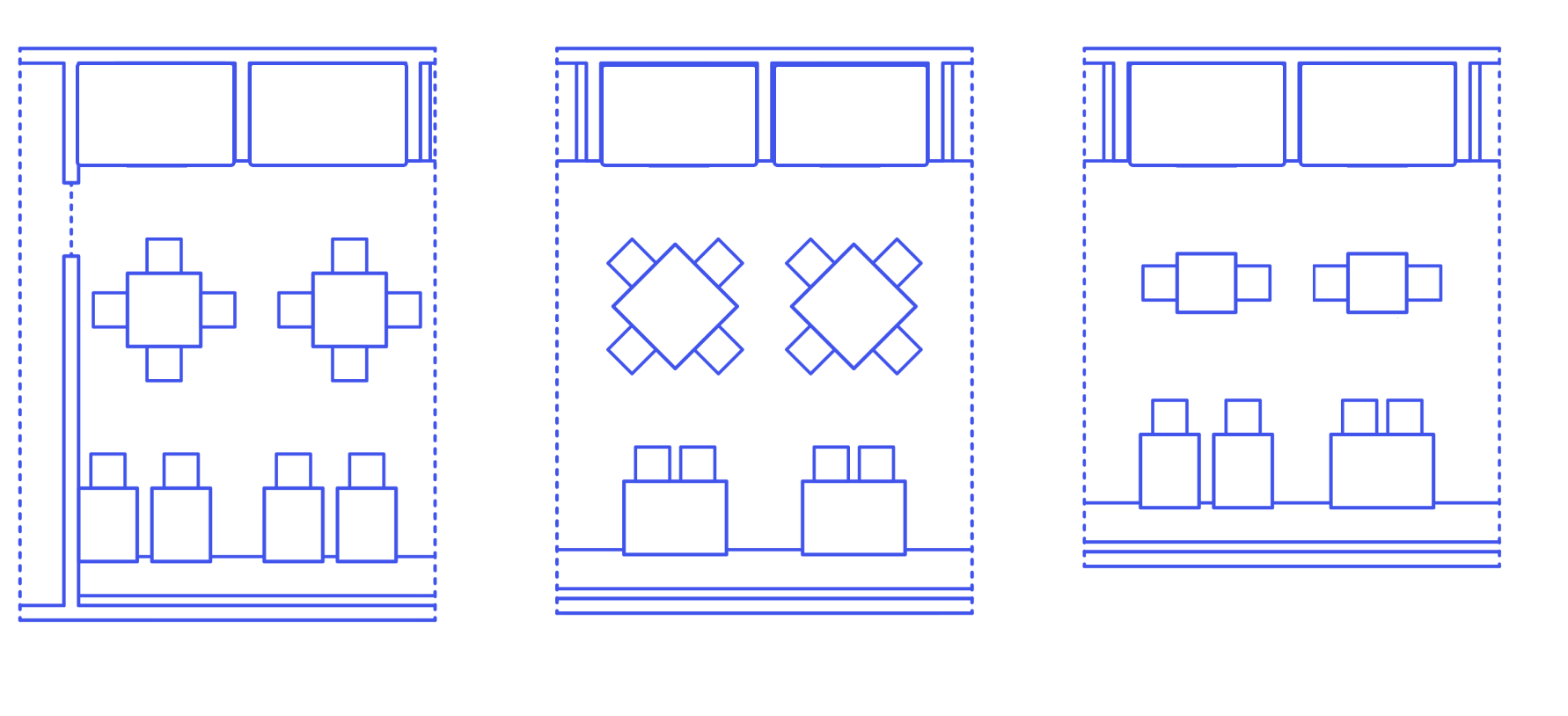
Provide a flat, top‑down plan that includes:
All floors you want represented
Table locations and table numbers
Aisles, entrances, exits, bar, kitchen pass, host stand, restrooms
Any fixed obstacles that affect seating or routing

No. Please do not send 3D models. Provide a 2D top‑down layout only.
If you have multiple locations, please provide one floor layout map per location.
When submitting your layouts, please name each PDF file clearly to indicate which restaurant location it represents.
(e.g., "Downtown_Location_Restaurant.pdf", "Westside_Location_Restaurant.pdf").
This will help us ensure each layout is correctly implemented for the appropriate location in your BETA POS system.
A clear 2D top‑down plan as a PDF is preferred, but photos work too!
For example: