This help article looks at common usecases for promotions. Please read the full Promotions Explainer for more information on how BETA’s promotions work.
🔗 Promotions Explainer
https://www.notion.so/Promotions-Explainer-1a416cc94ed480c982e3fc6077affd2c
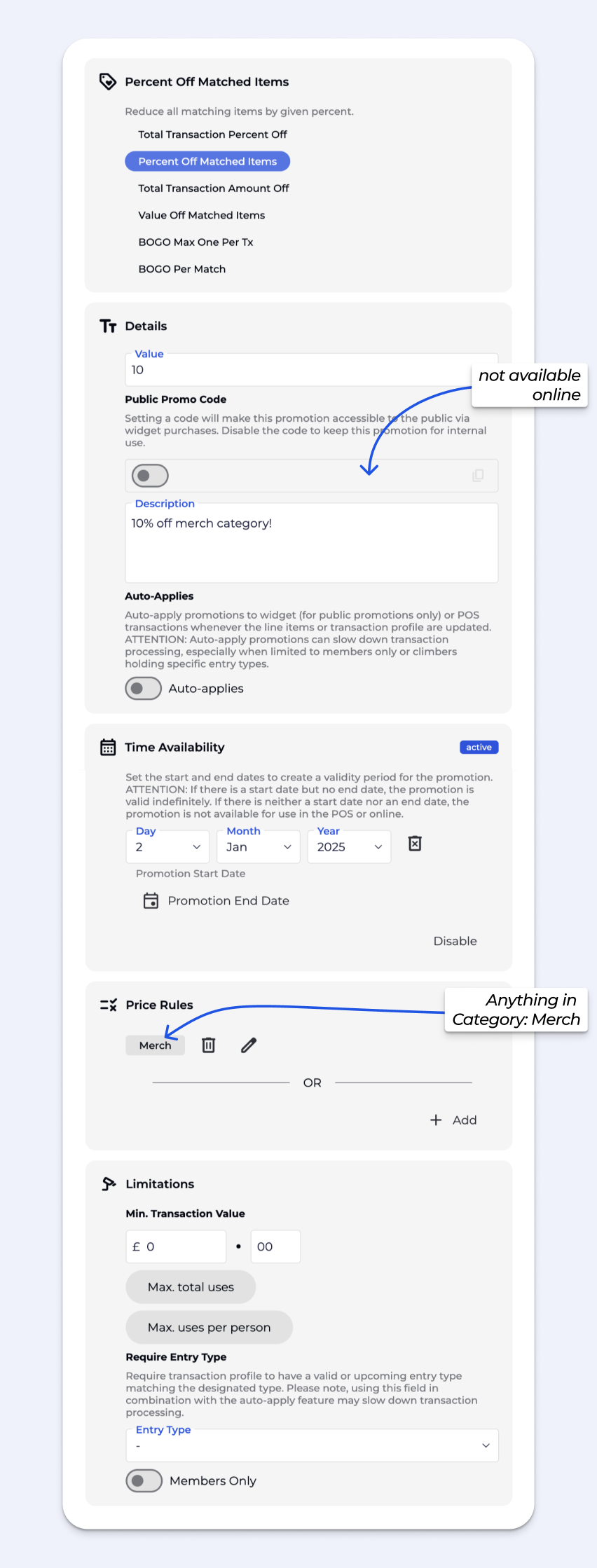
A basic 10% promotion off all Merch Category products, that can only be applied on the POS.
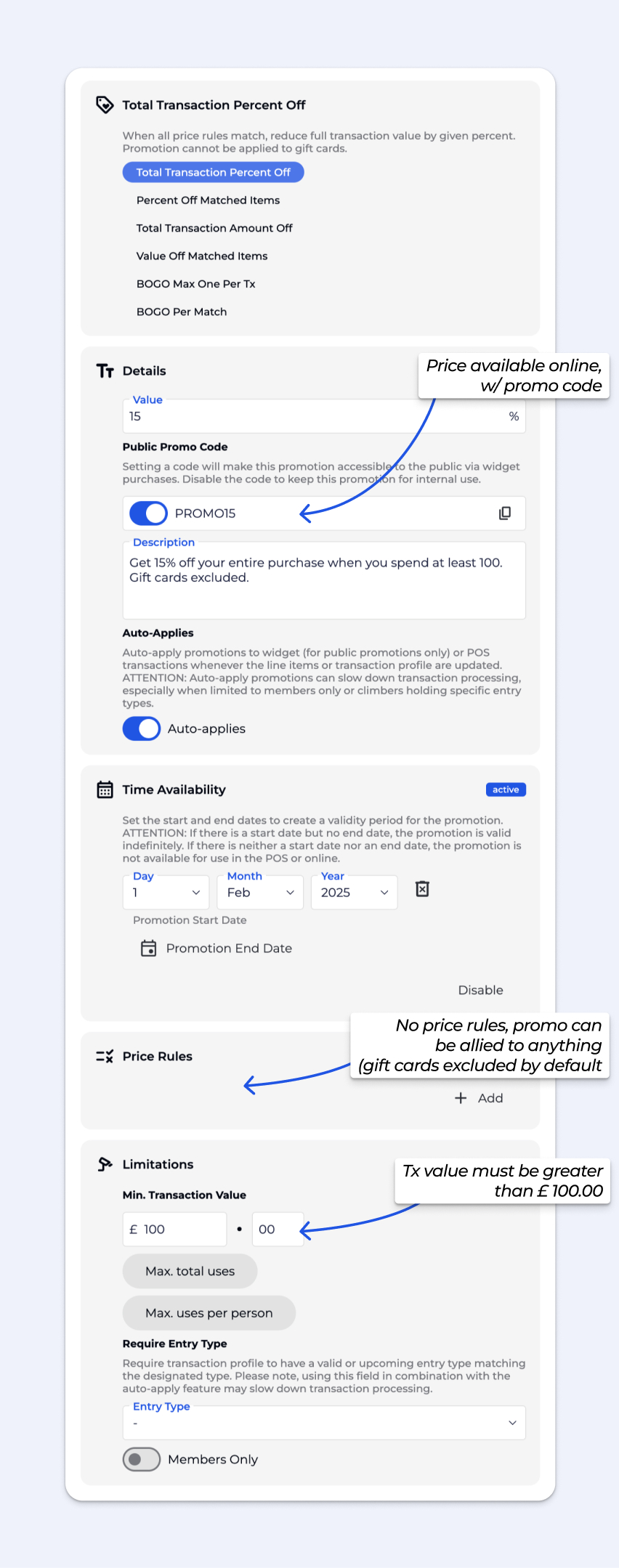
Automatically applies a 15% promotion when the cart total exceeds €100, online and in-person.
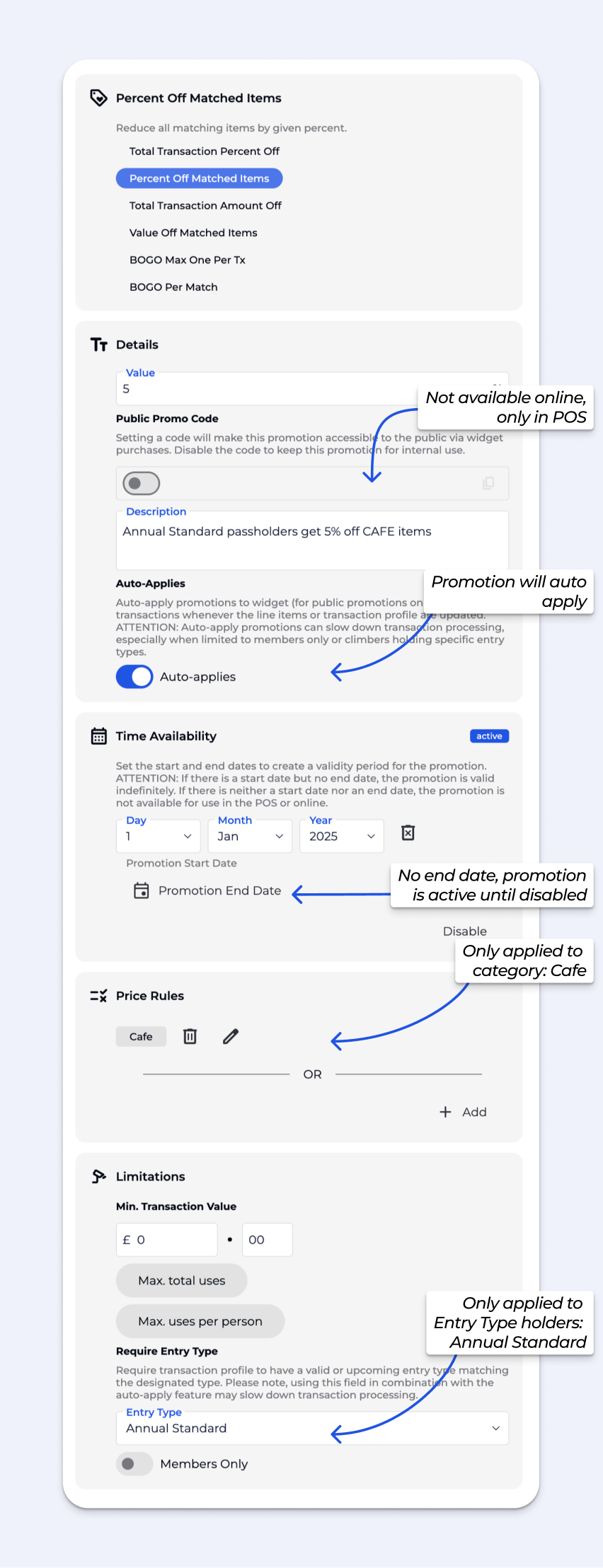
Only items in Price Category: Cafe, automatically receive a 5% promotion for Annual Standard Entry Type holders, and this promotion auto-applies at the POS so our staff don’t need to manually add the promotion as long as the correct account is attached to the transaction.
ATTENTION: Auto-apply with multiple Price rules and Entry Type Validation or Transaction Total in particular will impact the performance of the POS. Auto-apply should be applied discretionally.
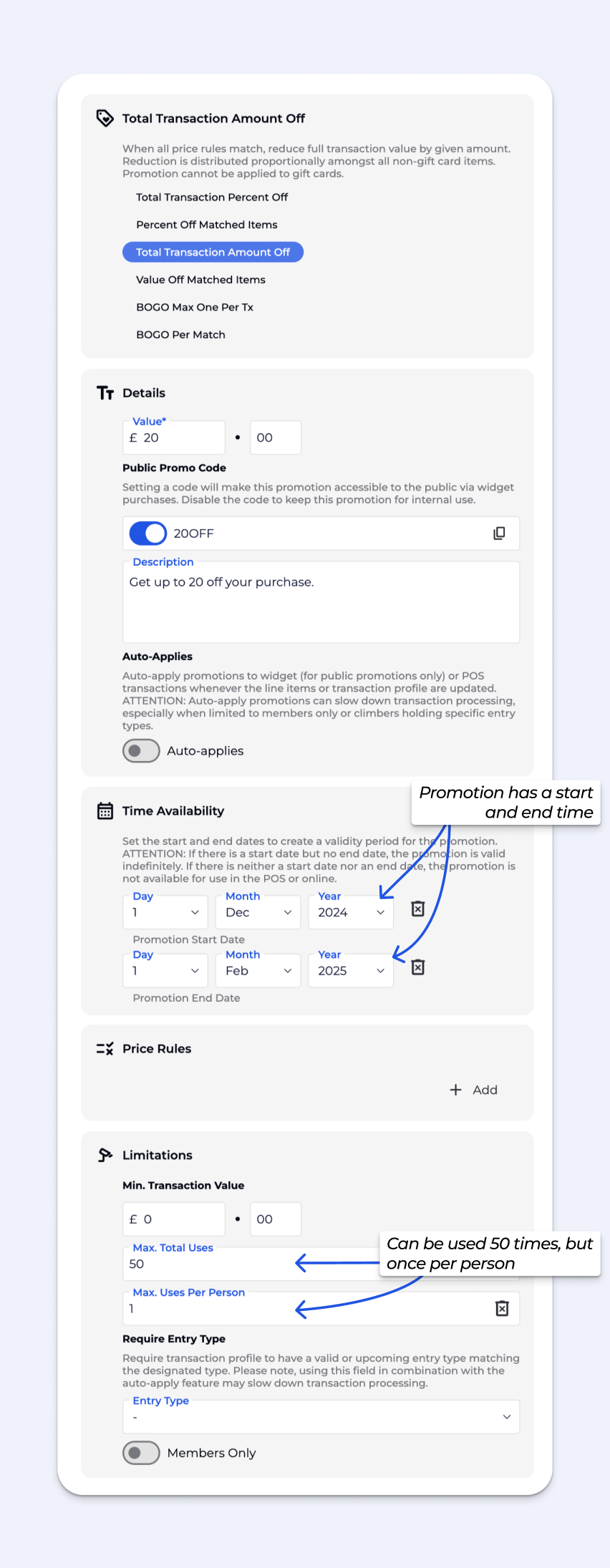
We want to encourage people to buy online to reduce wait times at the desk during our busy season. The first 50 customers to enter the promotion code 20OFF in our widgets will get up to €20 off their purchase from December 1st to February 1st.
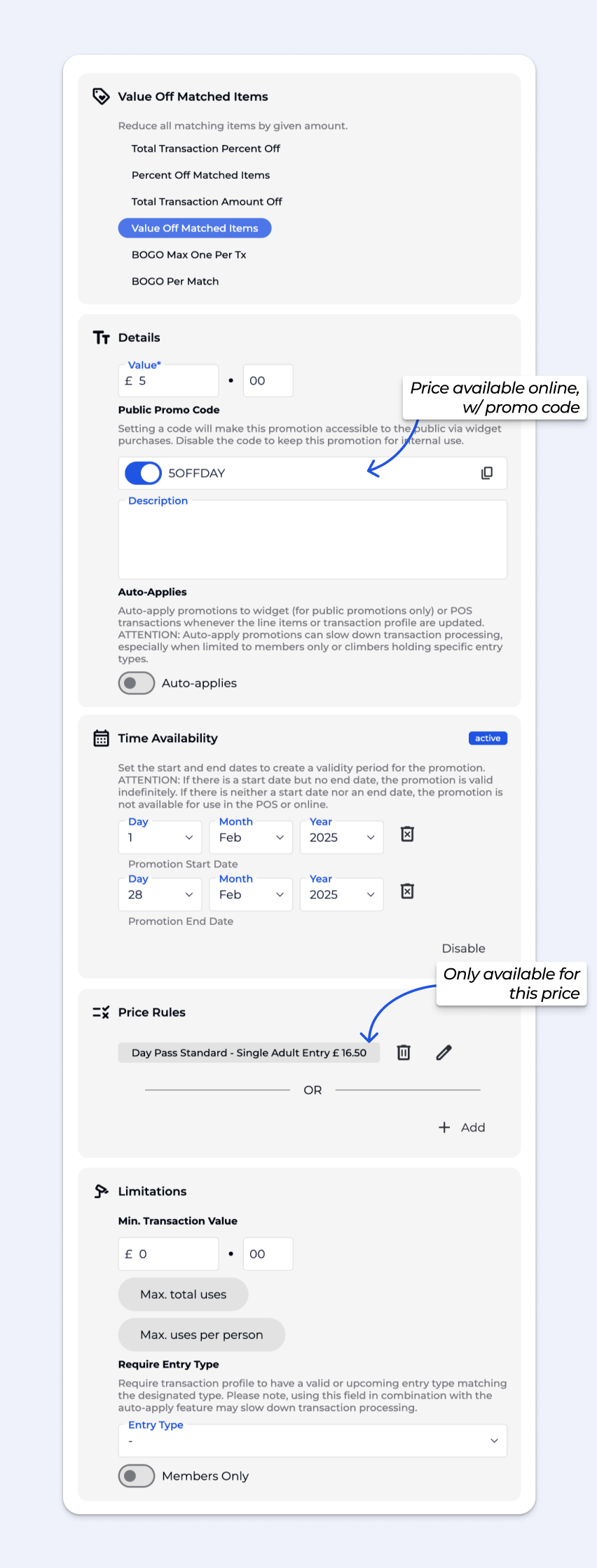
Each full-price day pass purchased gets a €5 reduction in price for the month of February, online and in-person.
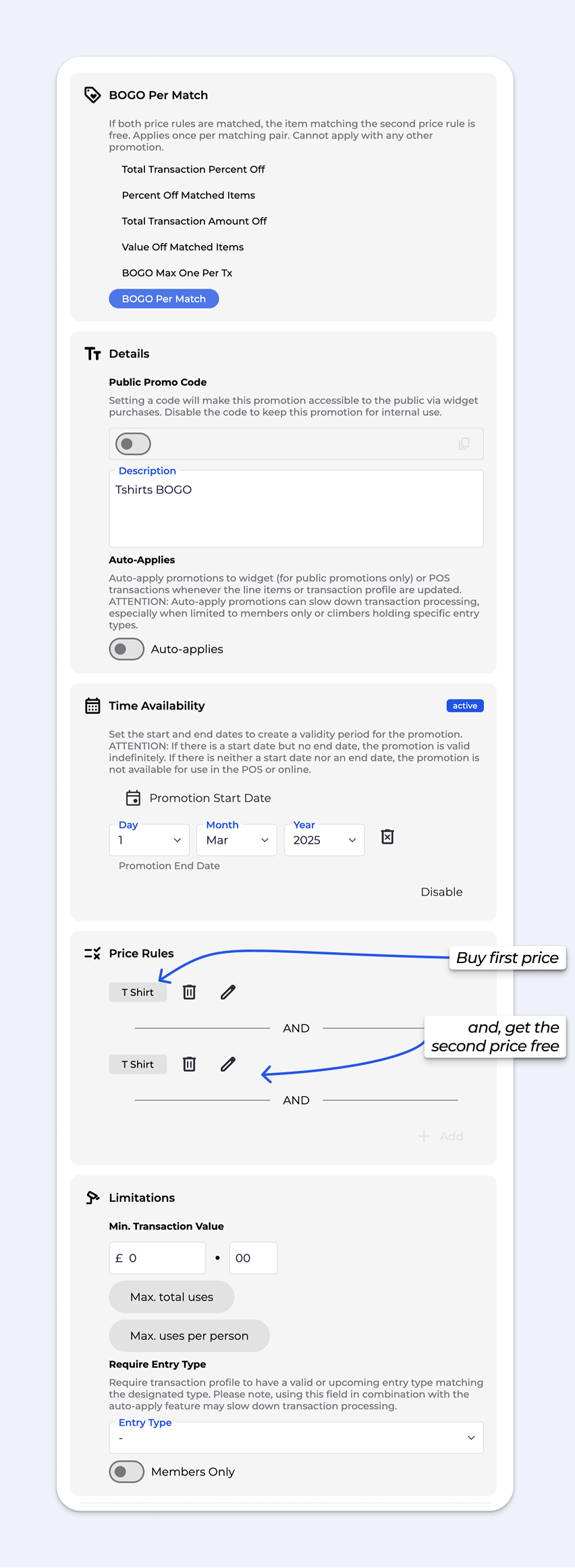
When two T-shirts are added, the second one becomes free until March 1st.
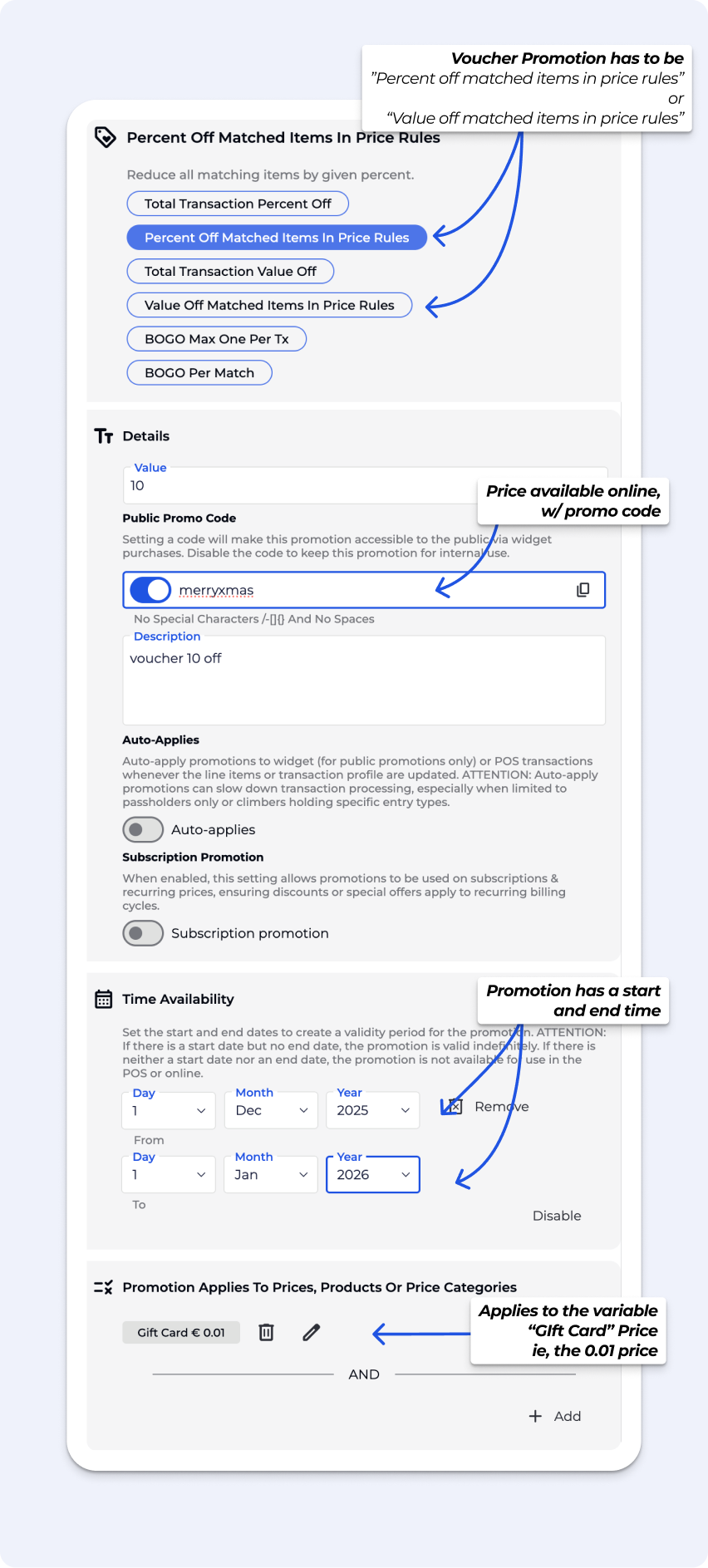
Customers receive a 10% discount on the price of a voucher or gift card when they buy it.

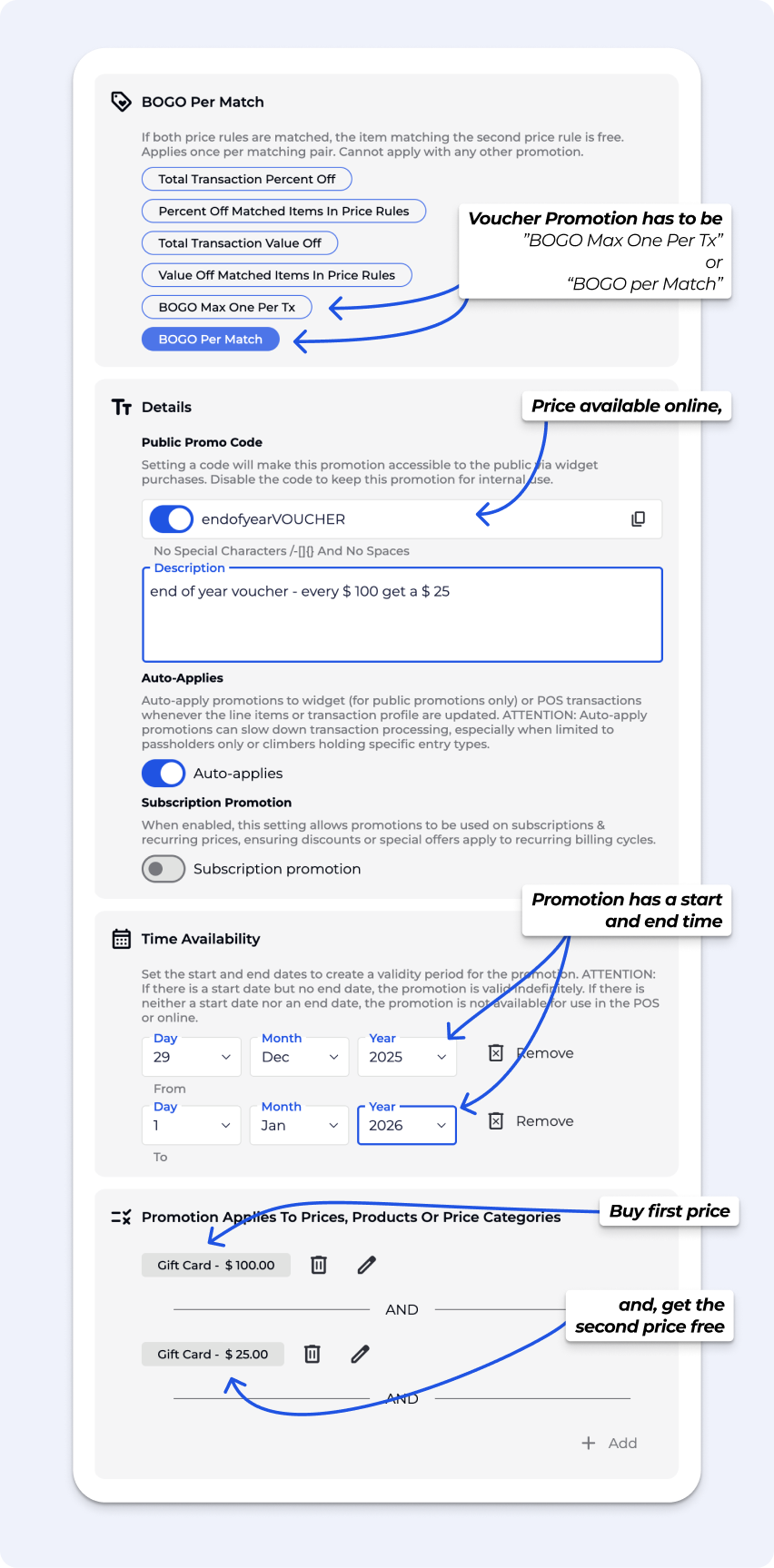
Customers who purchase a $100 voucher or gift card receive an extra $25 voucher or gift card at no additional cost.

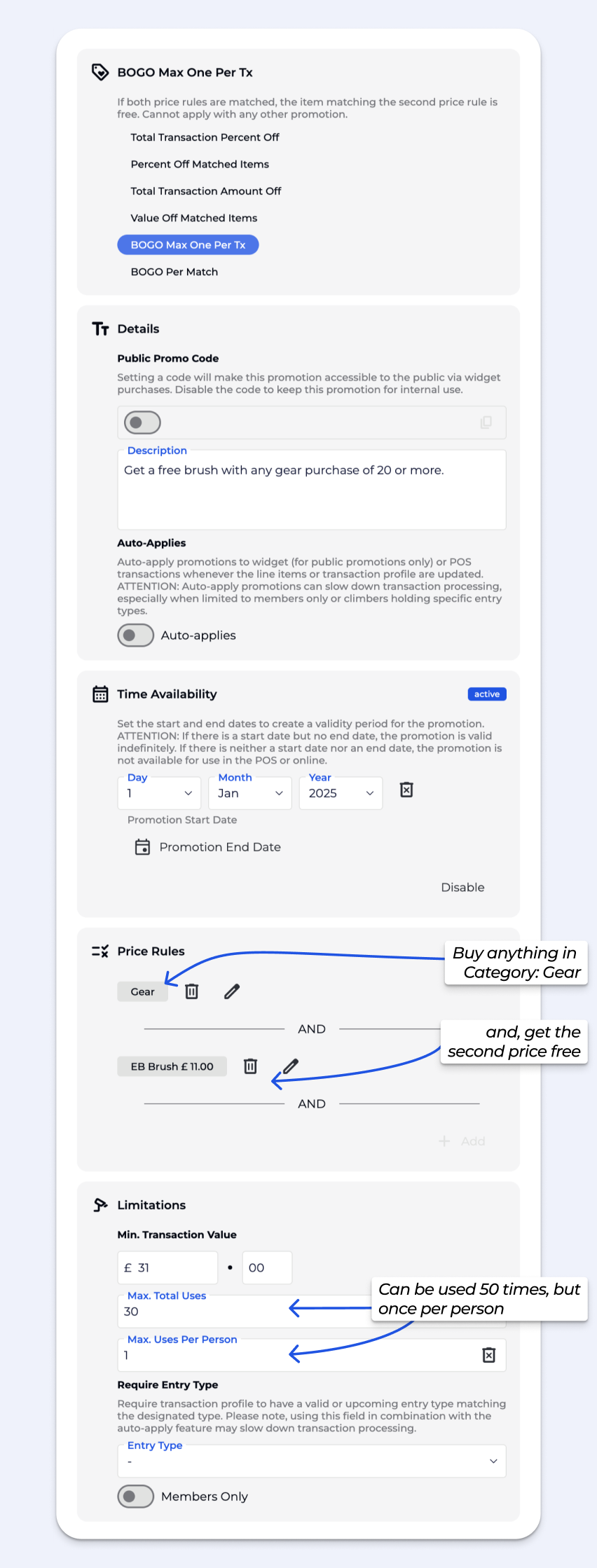
We want to clear out old brush inventory to make space for a new order.
When an item in the gear category is added to the transaction and the pre-promotion transaction total exceeds €31, a single brush in the cart is free. Limited to one usage per customer and 30 uses overall, since we only have 30 brushes remaining in inventory.
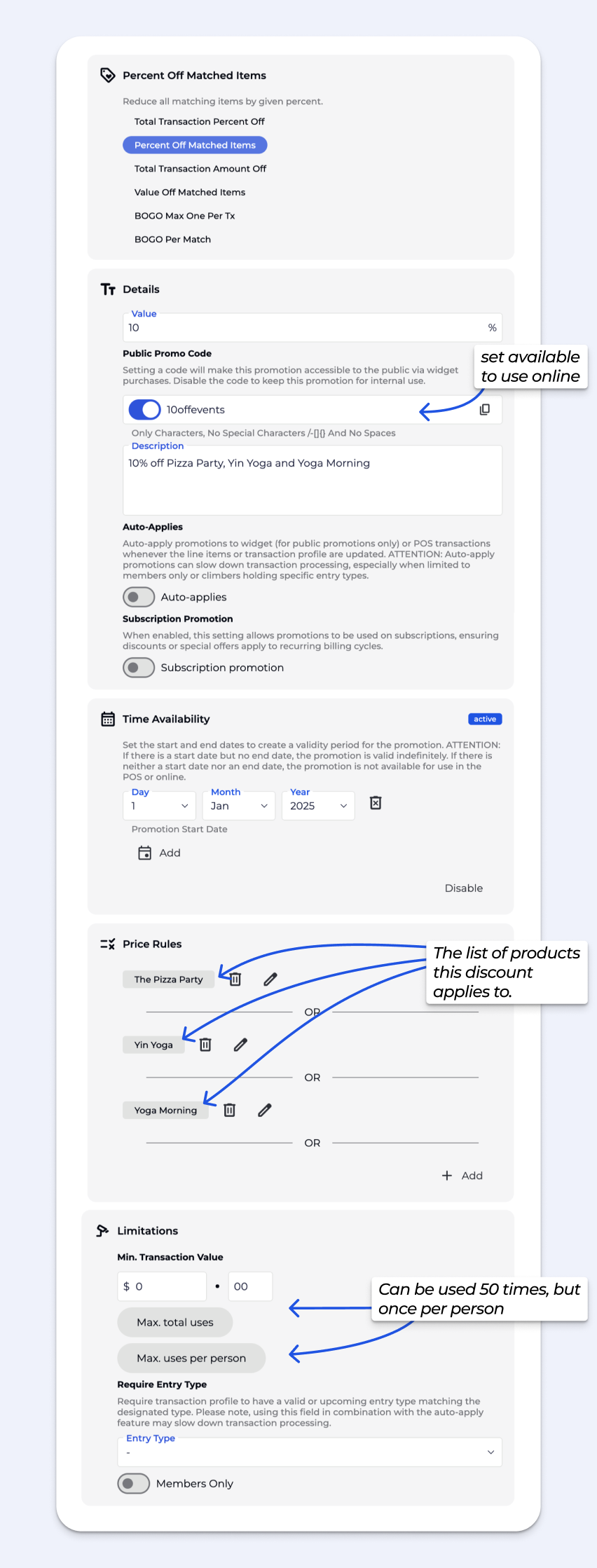
Applying 10% off specifically three events templates (and all of the prices in those event templates), and not an entire category.
If you’d like to give a product away for free - such as offering a free Tea - the best way to do this is by applying a 100% discount. We highly suggest setting the correct rules for when using this type of promotion.
Looking to create a Entry Type set up for staff?
📹🔗Create Entry Types & Pass Prices
This guides covers all you need to know about entry types and pass prices, to get you started.
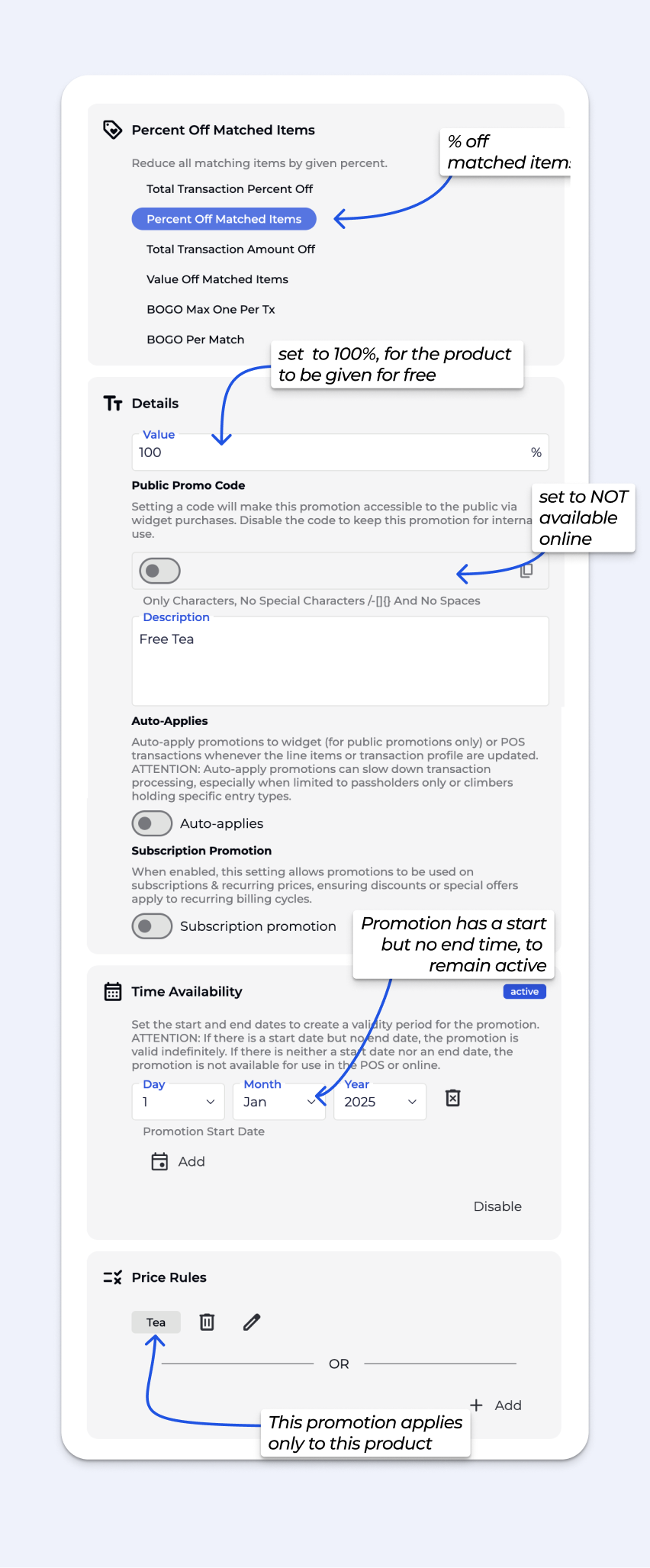
In some other software systems, gyms set a product price to $0.01 to mark it as free. BETA does not work this way—$0.01 is treated as a real charge, not “free.”If you want to give an item away (e.g., a free coffee), add it at its normal price and apply a 100% discount.
For recurring offers, you can create a promotion or discount code that applies the discount automatically.
No. You cannot create a product with a $0.00 price product in BETA.
You have a couple of options:
You can manually issue a pass / event enrollment without payment, or
If you want to give an item away for free, you should create the product at its normal price and then apply a 100% promotion (or a promotion equal to the product’s value).
This ensures reporting, inventory, and accounting all stay accurate while still allowing you to offer free items.

Still Lost? We’ve got you covered!
Use the search box on the main Help to search the entire list of available help guides, or drop your question in the Support Chat!
