The Google Calendar integration allows you to keep track of your upcoming events and send calendar invites to your clients. The Google Calendar integration is available for BETA Community
Open Google Calendar and go to  Settings.
Under “Add a calendar,” select Create new calendar.
Give it a name, description, and set the timezone to your gym’s timezone.
Find your new calendar in the sidebar.
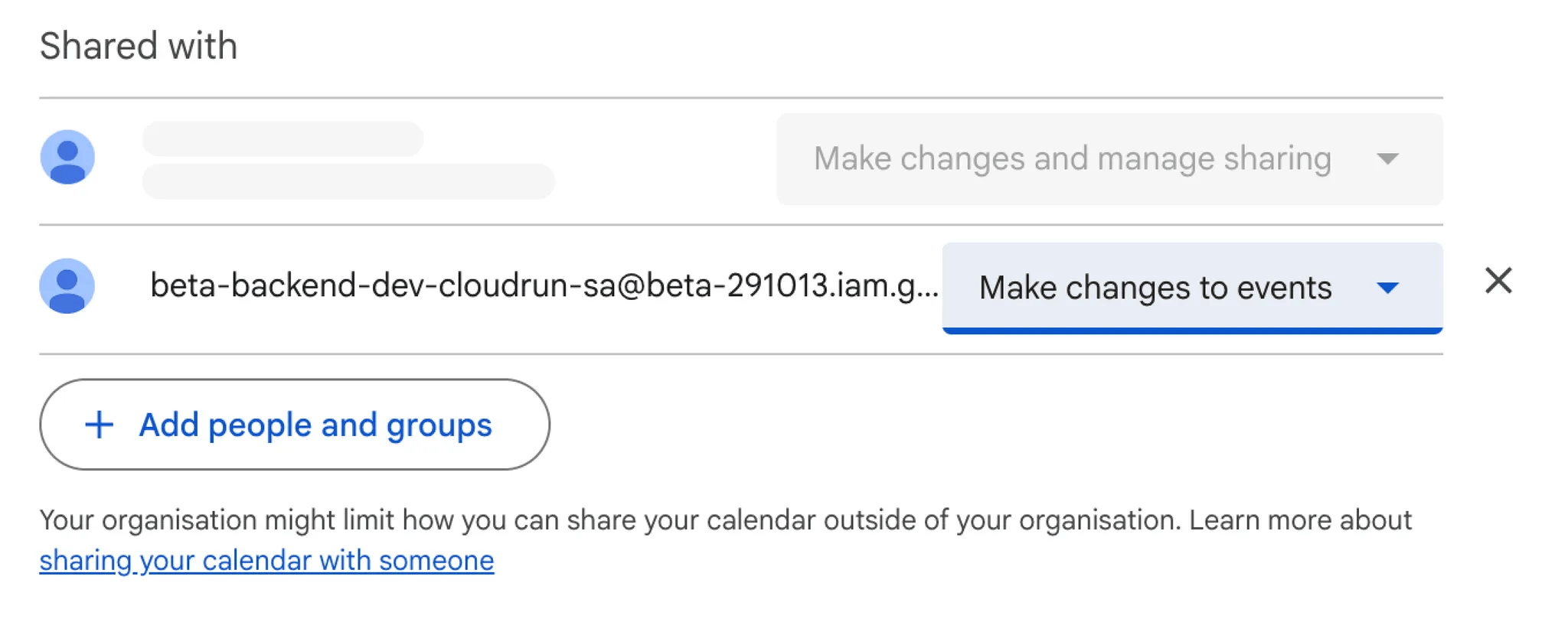
Under Shared with specific people, click Add people and groups.
Add the BETA service account:beta-backend-dev-cloudrun-sa@beta-291013.iam.gserviceaccount.com
Grant it permission to “Make changes to events.”
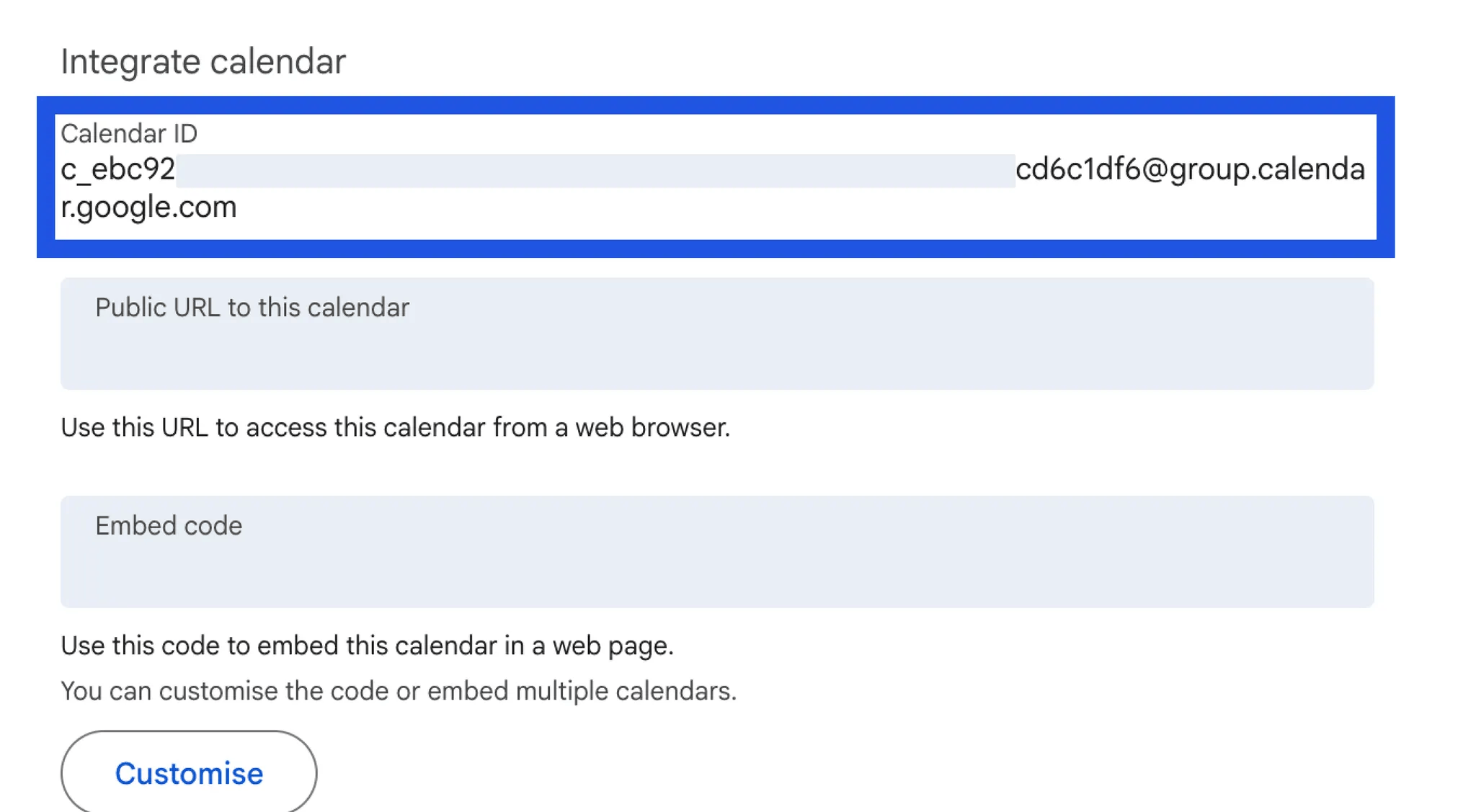
In the Integrate calendar section, find and copy the Calendar ID (in full).
In your BETA Dashboard → Settings → Integrations, paste this ID into the Google Calendar integration field.

All BETA events (classes, sessions, etc.) will sync to Google Calendar — including participant numbers and event details.
Edits should be done in BETA, not in Google Calendar.
No, slots are not included in this integration,
Manage sharing permissions directly in Google Calendar settings. See Google’s guide
