Keyinvoice (KI) is an accounting software that brings all your financial and accounting data together in one place. The KI integration is available for BETA users on Community tier or higher.

From the menu bar on the left hand-side, click Settings. Click Integrations. Scroll the menu and click Connect on the KeyInvoice icon.
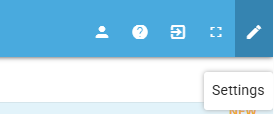
Click on Settings on the top right. Then choose Settings again.
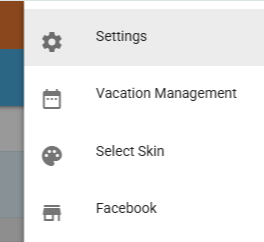
Scroll the menu on the left and select KEYINVOICE API
Generate an API key by selecting the +

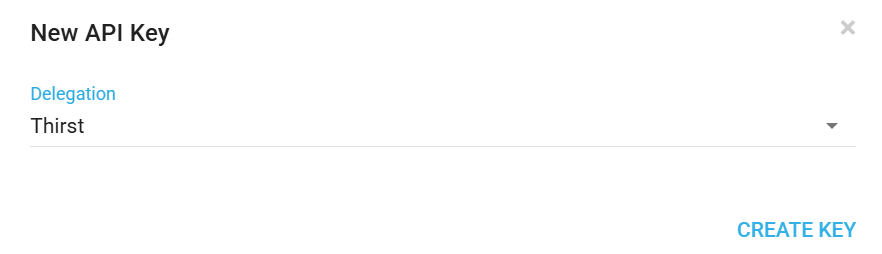
Choose delegation and CREATE KEY
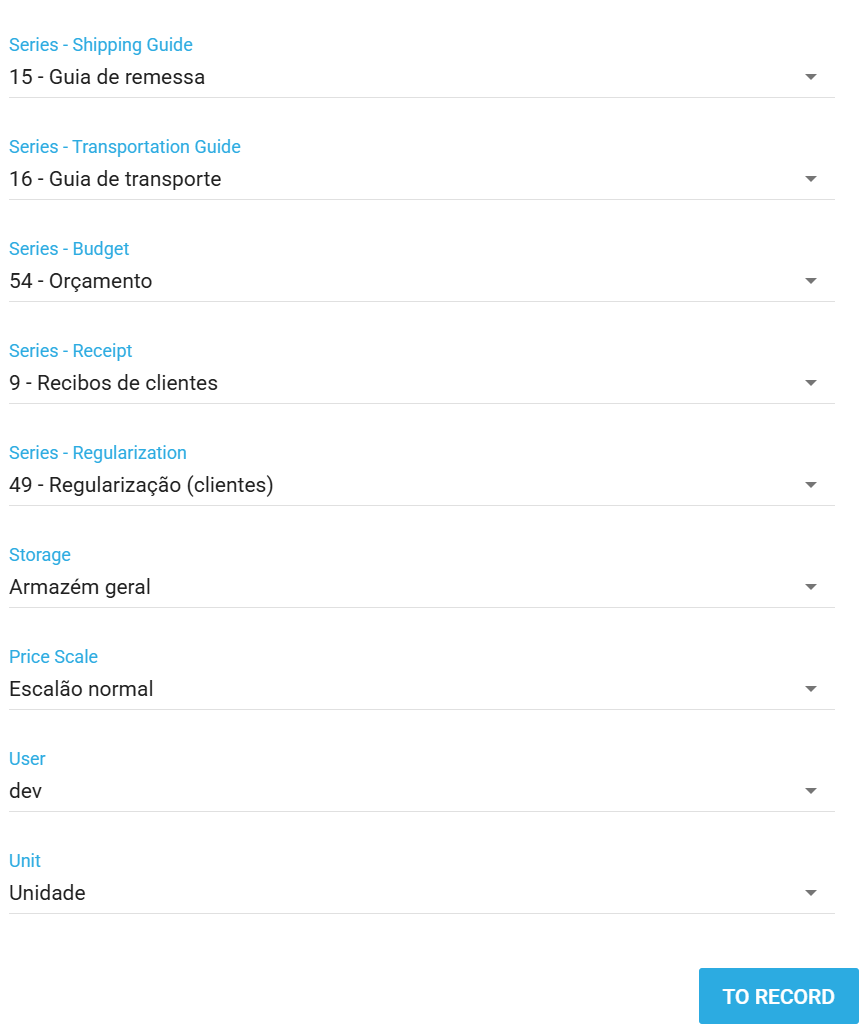
Once created, click on the pencil icon on the page. A pop up window will appear to allow you to edit. Select a document series for each doc type and an API user.
BETA facilitates the creation of two document types in KeyInvoice: Fatura-Recibo and Nota de Crédito.
If essential client details, such as name, tax ID, address, locality, or postal code, are linked to the BETA transaction, these values will be incorporated into the Fatura-Recibo in KeyInvoice. In the absence of this information, the fields remain blank, and the default “Consumidor Final” is displayed on the invoice. Note that if the default desk account is attached to the transaction, the document in KeyInvoice may display the default desk user’s information.
When a new product is added to BETA, an attempt is made to create a corresponding entry in KeyInvoice. If the product has event templates or passes linked to it, it is categorized as a service in KeyInvoice. Otherwise, it is designated as a stock-tracking item.
Important: The creation process may fail if the barcode of the product is already associated with another product reference in the KeyInvoice account.
After the initial creation, you can make modifications to the product directly in KeyInvoice.
Please ensure that it is clear that you understand the implications below, or there will be errors in the Integration.

1. Colour/Size Articles with Zero Stock
If an item has zero stock in a specific color or size, and a transaction is conducted for that item with the same color/size, the item won’t be added to the document. No error message will be returned from KeyInvoice.
2. Payment Types in Document Header
Payment types are not inserted into the document header, but they are logged by value and stored in the SAFT file associated to each invoice.
3. Mismatched Colors/Sizes or Barcodes
An error may occur during the invoice upload if an item in BETA doesn't have the same colors/sizes treatment as in KeyInvoice or if an item's barcode in BETA doesn’t match a product reference in KeyInvoice. In such cases, an email notification will be sent. IT IS IMPORTANT THAT YOU DO NOT EDIT THE BARCODE IN KEYINVOICE OR BETA. BARCODES MUST MATCH!
4. Multiple Pricing
KeyInvoice does not support multiple pricing for one product. Therefore in BETA, please ensure that each product has one price.
[RC 1] Acção efectuada com sucesso.
[RC 0] Código de resposta não documentado.
[RC -1] Autenticação falhada. Verificar a Chave API_KEY
[RC -2] Faltam dados de configuração. Verifique a sua conta.
[RC -3] Não foi possível criar uma sessão (5 tentativas).
[RC -4] Sessão Expirada. Este código de sessão já não é válido. (TTL 3600s )
[RC -5] Erro de parâmetros. Restrição de «Parâmetros não vazios» não respeitada
[RC -6] Funcionalidade indisponível para a sua licença.
[RC -7] Tipo de documento inválido.
[RC -12] Não foi possível gerar os dados do ficheiro para envio
[RC -101] Não foi possível gravar os dados do cliente!
[RC -102] Não foi possível encontrar o cliente pelo NIF indicado!
[RC -104] Não foi possível ler os dados do cliente!
[RC -105] Não foi possível eliminar o cliente!
[RC -111] Não foi possível criar novo registo de Morada Alternativa
[RC -112] Não foi possível alterar o registo de Morada Alternativa
[RC -113] Não foi possível carregar o registo de Morada Alternativa
[RC -114] Não foi possível apagar o registo de Morada Alternativa
[RC -121] Não foi possível carregar informação do cliente ao qual pretende associar a entidade
[RC -122] Não foi possível carregar informação da entidade indicada
[RC -151] Não foi possível gravar os dados do contacto!
[RC -152] Não foi possível encontrar o contacto pelo ID indicado!
[RC -154] Não foi possível ler os dados do contacto!
[RC -155] Não foi possível eliminar o contacto!
[RC -156] Não foi possível encontrar o contacto!
[RC -201] Não foi possível gravar os dados do artigo!
[RC -202] Não foi possível ler os dados do artigo!
[RC -203] Não foi possível criar o artigo: esta referência já existe.
[RC -204] O artigo não existe.
[RC -205] Não foi possível apagar o artigo.
[RC -206] Não foi possível gravar a taxa de IVA.
[RC -211] Não foi possível copiar a imagem a partir do URL indicado.
[RC -301] Não foi possível gravar o cabeçalho.
[RC -302] Não foi possível gravar a linha de documento.
[RC -303] Não foi possível ler os dados do cabeçalho para o código indicado.
[RC -304] Não foi possível gravar definitivamente o cabeçalho com o código indicado.
[RC -305] O documento com código indicado não existe.
[RC -306] Não foi possível gravar a linha do documento.
[RC -307] Não foi possível guardar os detalhes do cabeçalho.
[RC -308] Não foi possível guardar o documento.
[RC -311] Não foi possível enviar o email. SMTP inactivo ou com configuração errada.
[RC -312] Não foi possível enviar o email. Erro na geração do ficheiro.
[RC -321] Ocorreu um erro na comunicação com a Autoriadade Tributária
[RC -322] Dados inválidos, ou funcionalidade inexistente no Sistema de Facturação.
[RC -331] Não foi possível adicionar a informação de Cor/Tamanho à linha do documento
[RC -340] Erro ao ler Dcoumento.
[RC -341] O Documento não se encontra fechado, pelo qual não pode ser faturado.
[RC -342] O Documento encontra-se anulado ou já foi convertido.
[RC -343] Erro ao tentar ler Série de Documento.
[RC -344] Erro ao gravar cabeçalho do documento.
[RC -345] Erro ao gravar a linha do documento
[RC -401] Não foi possível gravar os dados do fornecedor!
[RC -402] Não foi possível encontrar o fornecedor pelo NIF indicado!
[RC -403] Não foi possível carregar os dados do fornecedor indicado
[RC -404] Não foi possível ler os dados do fornecedor!
[RC -405] Não foi possível eliminar o fornecedor!
[RC -501] Não foi possível criar o novo registo de cor/tamanho
[RC -511] O País indicado não existe
[RC -512] O País indicado já existe
[RC -513] Não foi possível gravar o novo país.
[RC -521] Não foi possível gravar a nova moeda.
[RC -522] Não foi possível ler o registo de moeda indicado.
[RC -523] Não foi possível actualizar a moeda.
[RC -524] A moeda indicada não existe.
[RC -525] Não foi possível apagar a moeda.
[RC -526] Não foi possível gravar um valor de conversão para esta moeda.
[RC -527] Não foi possível associar esta moeda como segunda moeda do documento.
[RC -528] Não foi possível gravar o documento com os dados de segunda moeda.
[RC -551] Não foi possível gravar os dados da família!
[RC -552] Não foi possível encontrar a família pelo identificador indicado!
[RC -553] Não foi possível carregar os dados da família indicada
[RC -554] Não foi possível ler os dados da família!
[RC -555] Não foi possível eliminar a família!
[RC -600] Atingiu o limite máximo de chamadas de API
[RC -601] Atenção! Preço de Venda inferior ao preço de Custo
Yes, after BETA sends a new product to KeyInvoice, you can modify the product directly within the KeyInvoice platform. This flexibility allows you to make any necessary adjustments or updates to product details based on your specific requirements in KeyInvoice. IT IS IMPORTANT THAT YOU DO NOT EDIT THE BARCODE IN KEYINVOICE OR BETA. BARCODES MUST MATCH!
If an item in BETA has no stock in a particular color and size, and a transaction is made for that specific item with the color/size in question, the item will not be added to the KeyInvoice document. Notably, no error message will be returned from KeyInvoice in such instances. It's advisable to manage stock levels to prevent potential discrepancies during the document creation process.

Still Lost? We’ve got you covered!
Use the search box on the main Help to search the entire list of available help guides, or drop your question in the Support Chat!
