An integrated payment allows you to collect payment from a client directly from the BETA Point of Sale (POS) via direct integration with that payment provider.
This way, customers can pay without the need for manually entering transaction totals into card terminals or recording the result of the transaction in BETA. Integrated payments increase efficiency and reduce errors for your gym.
With BETA's Clover integration, you can make terminal payments directly through Clover.
Service | Status | Terminal payments | Online payments | Phone | Recurring payments | Website link |
Clover | Integrated |
|
|
|
|
Allows for quick, one-time payments directly from Terminal, ideal for walk-in or ad hoc purchases.
The card details are not stored, maintaining customer security while enabling immediate payment confirmation. The amount sent to the payment terminal is adjustable and can be a fraction of the remaining total.


Related guides,
Connect a Terminal to the POS
Learn how to quickly connect a payment terminal to your POS system with this setup guide.
Clover Cloud Pay Display is a feature that runs on Clover devices, allowing the display of payment information and prompts to customers on a connected Clover device while orders and payment details are managed by a separate point-of-sale (POS) system via a cloud connection.
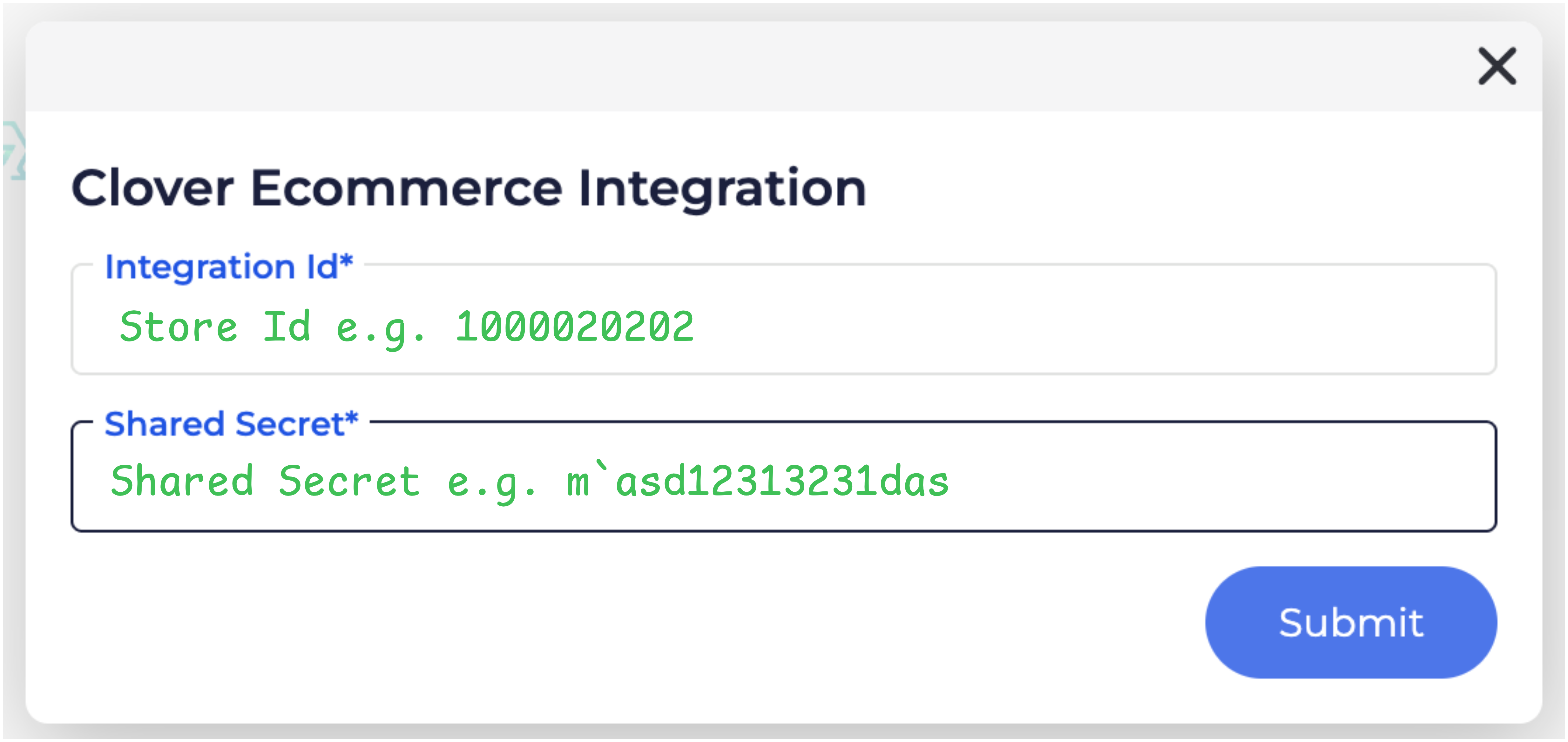
Learn how to set up your Clover integration from the links below,
How to Set Up an Integration in BETA
Set up powerful integrations to automate your workflows.
Once Clover integration is successfully set up on the Integrations Page in BETA, contact a member of the BETA team to confirm this.
We’ll add Clover payment methods in your Point of Sale (POS). Following this, you will be able to accept in-person payments through the Clover Flex terminal, and online.
Payment terminals
To order your payment terminal, please contact your payment provider directly.
Yes, you can connect multiple payment terminals to BETA. Follow the same process for each terminal to integrate them seamlessly.
Please double check that you have Cloud Play Display installed on your Clover Flex device.
On your Flex device, navigate as follows:Setup>Devices>Click Device>Rename Device
See the full list here BETA Integrated Payment Providers
Integrated payments
Integrated payments offer several benefits for your gym, including:Improved efficiencyIntegrated payments automate tasks and reduce manual input, streamlining the payment process and minimising the risk of human error. In addition, customers can complete payment without delay, allowing the next customer to be served more quickly.Improve reconciliationIntegrated payments automatically update BETA with real-time payment data. As a result, there is no need to cross check payment provider vs sales reporting, or to manually investigate to resolve inconsistencies. Previously, maintaining such data required significant time and effort.Better data managementIntegrated payments can provide valuable insights into customer behaviour and payment patterns, along with improved transaction tracking and reporting capabilities. You can leverage this data to refine operations and manage financial information more effectively.Improved Professional ImageIntegrated payments help to present your facility as modern, well-run, and organised. Enhanced security Integrated payments are secure and safeguard sensitive customer data like credit card details. This minimises the risk of data breaches and fraudulent activities.
Integrated payments offer several benefits for your customers, including:Quicker Customer Experience Integrated payment methods automatically populate the amount due onto the payment terminal, reducing the need for manual keying and human error. Improved Security Non-integrated payment systems are vulnerable to fraud. Integrated payments have a record linking them to the payment details.Easily Accessible Information Customers benefit from easy access to detailed receipts and purchase-history information. This accessibility allows customers to track expenses, review past transactions, and effectively manage their budgets, contributing to a positive overall experience.
Clover payments
Refunds for Clover payments are handled automatically by BETA. When you need to refund a customer, BETA takes care of the process without you needing to do anything manually. It identifies the transaction and sends the refund through the Clover system. This means refunds are quick and easy, saving you time.
No, customers do not need to tap the card terminal again. To process a refund for transactions made via Clover card terminal, simply click the refund button in BETA, and the money will be refunded to the same account that made the payment.

Still Lost? We’ve got you covered!
Use the search box on the main Help to search the entire list of available help guides, or drop your question in the Support Chat!

