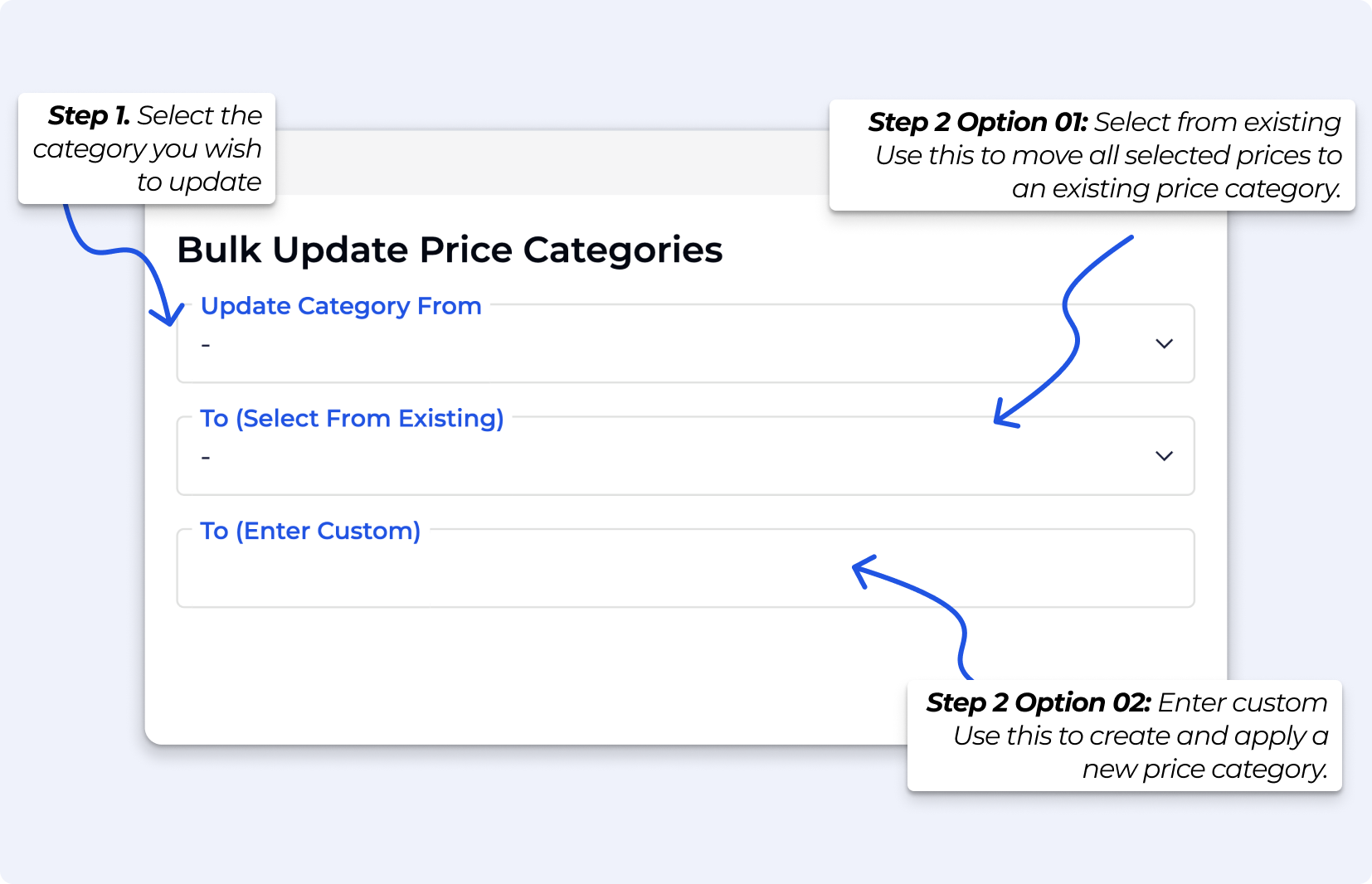
Bulk Update Price Categories allows you to update the price category for multiple prices at once, making it easy to reorganise or standardise your pricing.

Update category from
Select the price category you want to update.
The dropdown includes all categories, that is, with active and archived prices.
Update category to
Choose how you want to update the category:
» Option 01: Select from existing
Use this to move all selected prices to an existing price category.
» Option 02: Enter custom
Use this to create and apply a new price category.
Once confirmed, all affected prices will be updated in one action that is, all active and archived prices in the Price.