This help article will assist you in ensuring your tags and proficiencies are ready before your start date with BETA. This includes setting up your tags and proficiency structures in our system, migrating existing data from your previous provider, and assigning the correct tags and proficiencies to the appropriate visitors.
To be able to migrate your tags and proficiencies, you first need to create them in BETA. Make sure you’ve reviewed the guides below, which explain the different types of tags and proficiencies and walk you through the creation process.
Create & Edit a Tag/Proficiency
Learn how to manage proficiency settings, create custom tags, and edit existing ones in our comprehensive guide.
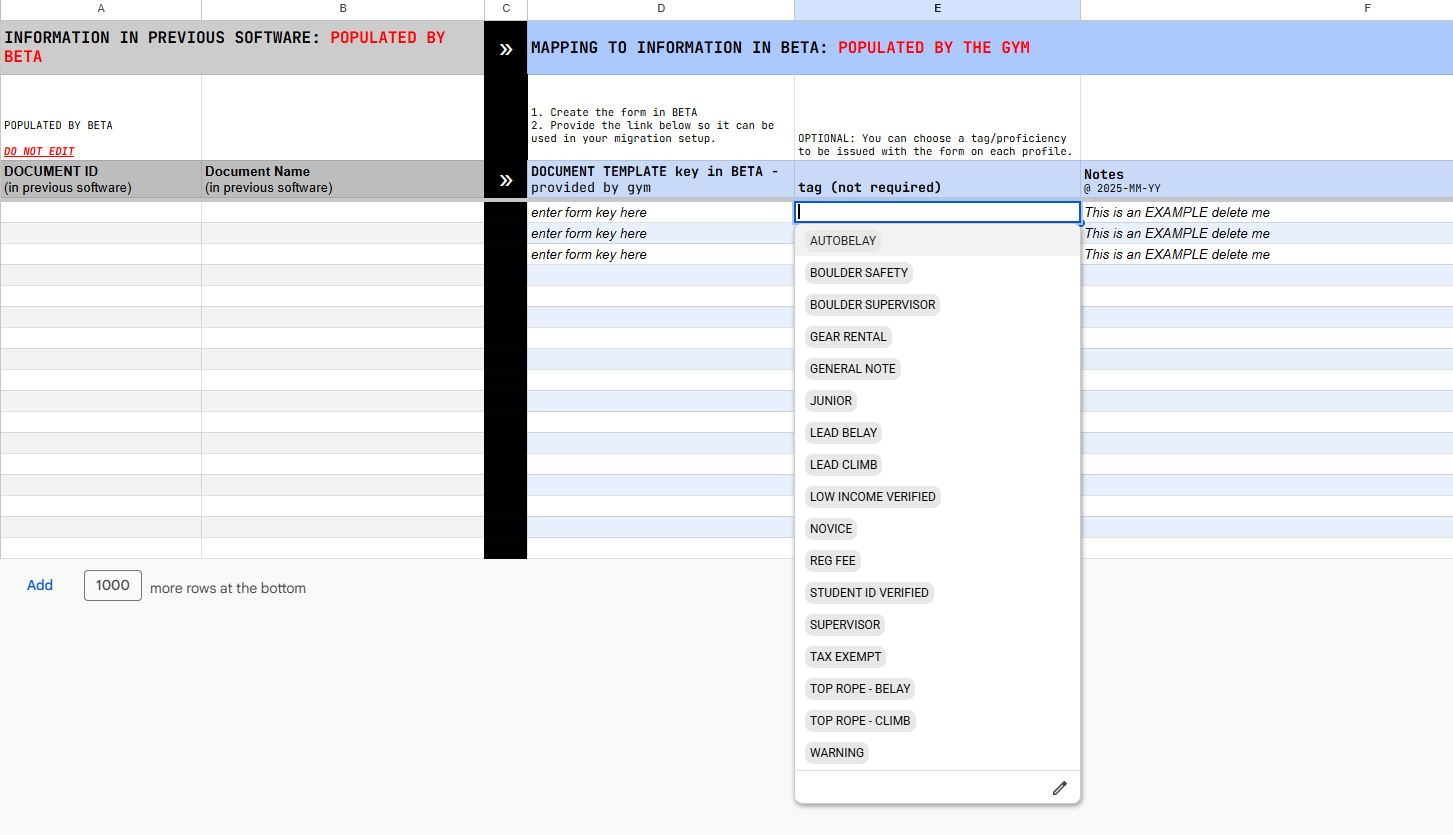
If you wish for a tag/proficiency to be issued together with a form, you’ll need to specify that in your dedicated Forms Mapping Sheet, as shown below.
Your Mapping Sheet can be found in a shared google drive folder.


Still Lost? We’ve got you covered!
Use the search box on the main Help to search the entire list of available help guides, or drop your question in the Support Chat!
