Emergency contact details can be collected directly through BETA Forms and previewed in a profile without generating a PDF. This helps ensure important contact information is captured accurately during sign-up.
Forms Explainer
Explore our comprehensive guide on managing participant forms, including settings, expirations, and booking forms

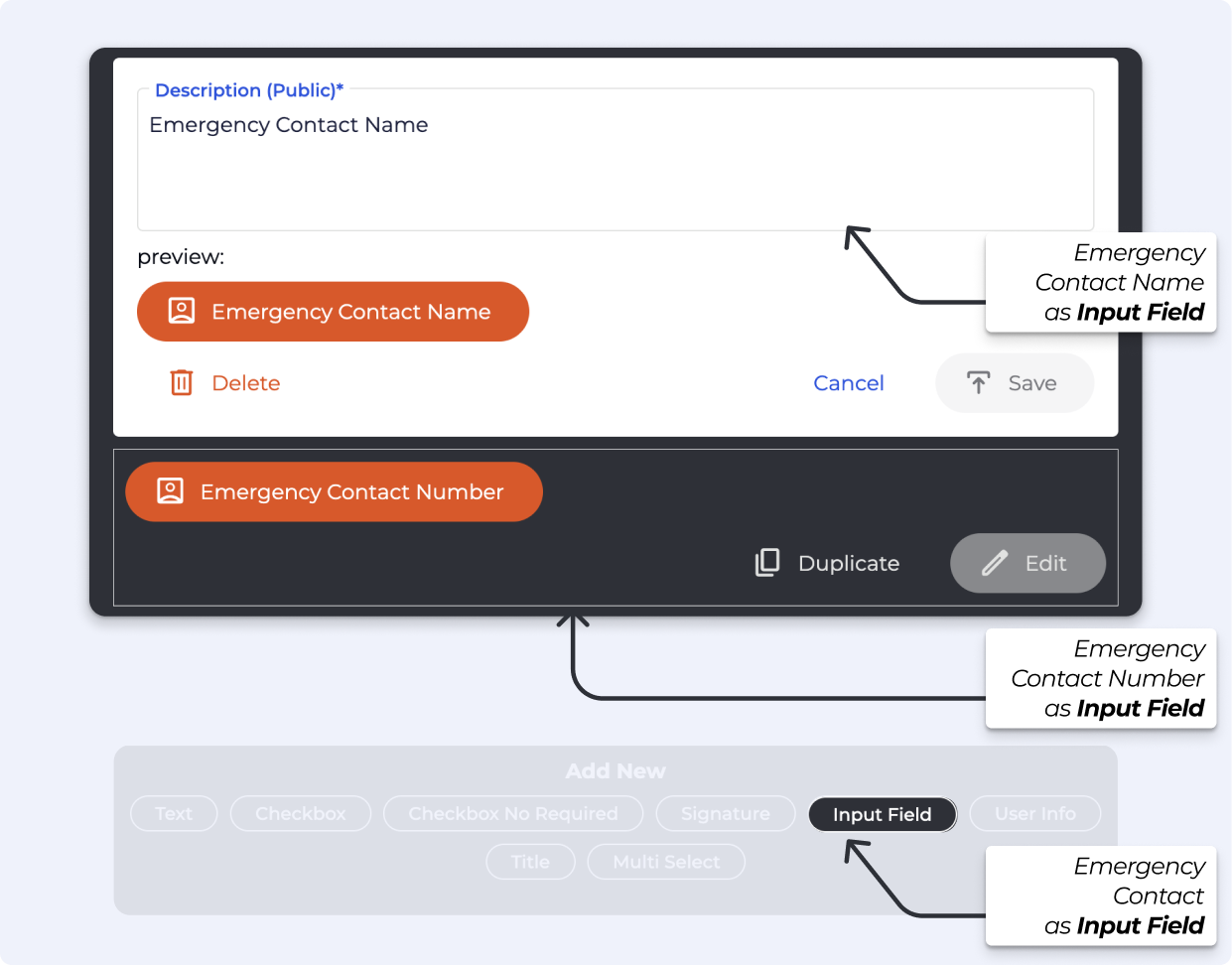
Emergency contact details are added to a form as standard Input Fields, in the Edit Form Content section when editing a form. This allows users to enter the information during form signing process.

This information is saved to the form, and pre-viewable on the profile once the form is completed.
Previewing a form from the Profile shows the exact values entered by the person who signed it, including what they filled in or selected. This allows you to quickly review submitted information without generating or opening a PDF.

Preview a booking form, from an profiles, transactions, and participant lists
How to preview a booking form linked to an event, profiles, transactions, and participant lists.

Still Lost? We’ve got you covered!
Use the search box on the main Help to search the entire list of available help guides, or drop your question in the Support Chat!
