Transferring a subscription does not affect who receives the assigned entries, transferring a subscription changes who pays for the subscription.
For transferring both the subscription and the entries tied to that subscription, two distinct actions are required.
Transfer a Subscription | Reassign Passes | |
Changes | Who pays for the subscription | Who receives passes each billing cycle |
Affects past entries? | No | No — future periods only |
Payment method moves? | No | N/A |

Looking to take a deep dive into Subscriptions?
Subscriptions Explainer
Find comprehensive guidance on managing subscriptions, including billing, payment methods, and troubleshooting issues within the BETA platform. Access tips for effective subscription management.
Use this when billing responsibility needs to move to a different profile — for example, a parent taking over payment from a child's account.
Changing the Subscription Profile determines:
Which visitor's profile is linked to the next billing transaction
Which visitor's saved payment methods are used for auto-payment

Use this when you need to change which profile receives the passes that the subscription issues each billing cycle.
This will effective on the NEXT BILLING DATE. If already-issued passes also need to move, you'll need to handle those manually — see Gift a pass - one time.
Transfer/Gift a Pass to another visitor (one-off)
Transfer an existing pass from one visitor to another.

On the subscription popup, navigate to Manage Subscription » Manage Pass and you will be able to assign each pass to each climber.
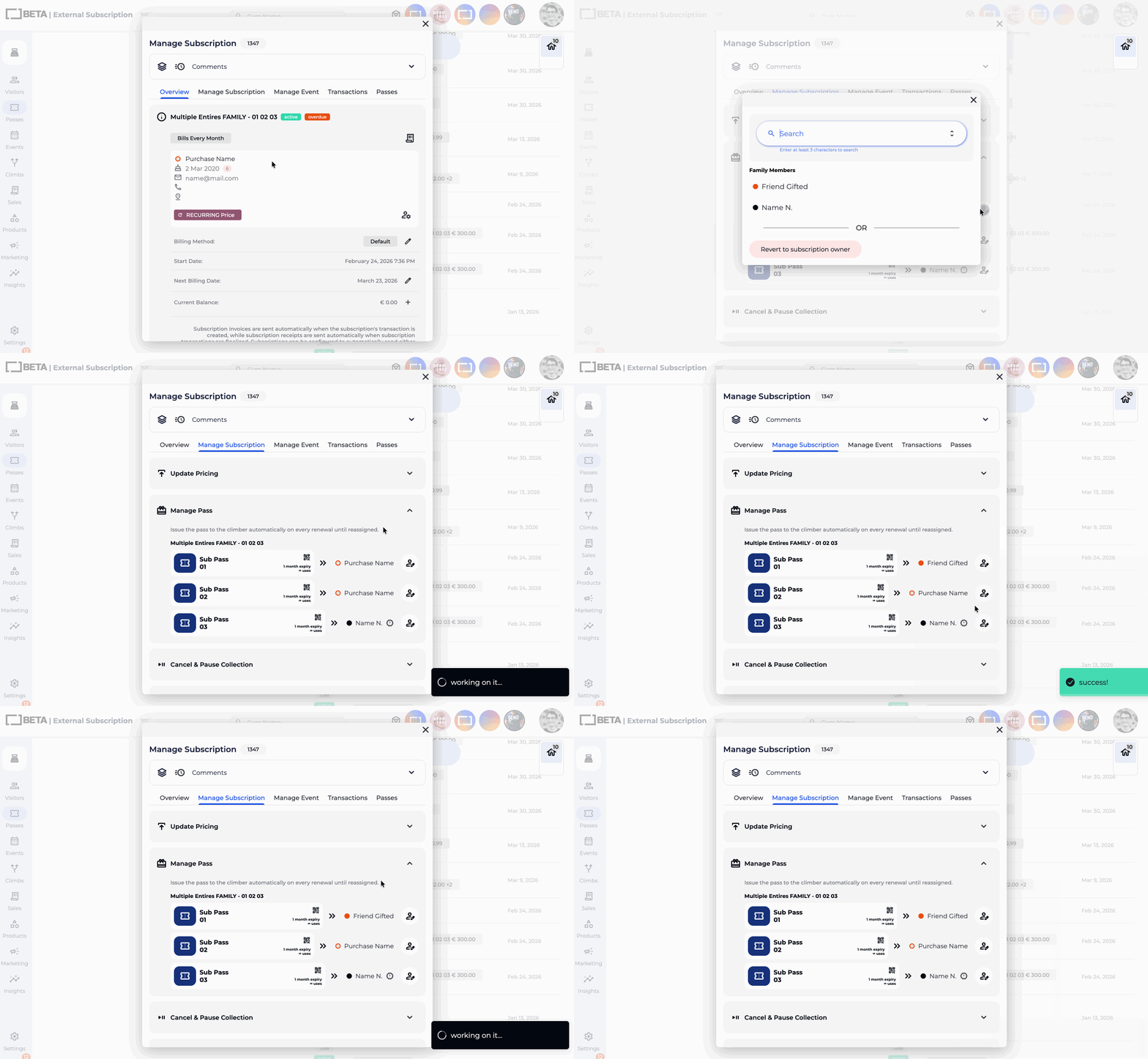
If you sold a subscription to the wrong person and need to fix everything — billing and passes — you'll need to complete both actions:
Transfer the subscription to move billing to the correct profile.
Reassign passes on the subscription to update future pass allocation.
Gift a pass - one time for any passes that were already issued to the original profile.
Yes, you can transfer a subscription to a different profile, which will also transfer billing responsibilities to the new profile.
In a separate action, you will also need to ,Gift a pass - one time to also assign the passes to the correct profile. This ensures the subscription, payments and associated entries are correctly aligned with the new profile.
In the case where a pass has been used or a start date has already been set, a profile with Manager permissions or above will need to override the above by either re-crediting an entry or extending the expiry date of a pass by adding bonus days, respectively.
No — payment methods are tied to a profile and cannot be transferred. You'll need to capture a new payment method on the profile taking over billing.
They stay on the original profile.
Reassigning only affects passes issued from the next billing cycle onward.
Use Gift a pass - one time to move any already-issued passes.
