Use the Advanced SORT feature in BETA to filter your audience and send bulk WhatsApp templated messages to targeted groups of pass holders or climbers.

WhatsApp Requirements & Setup
How to Connect WhatsApp Business, available on the Enterprise tier and above.
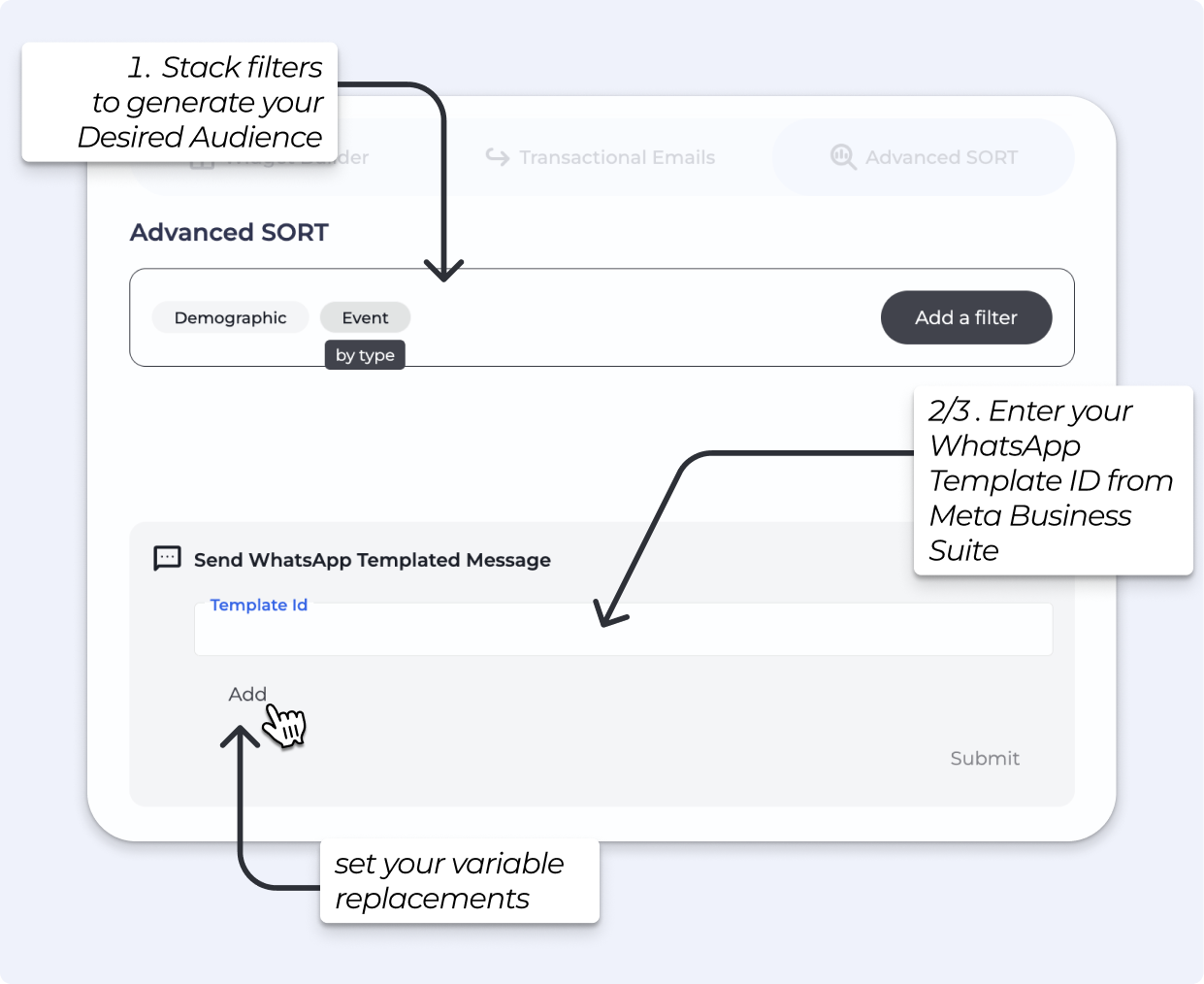
See how to stack filters in the Marketing » Advanced SORT to generate your desired Audience
Download climbers’ data with Advanced SORT
Download climbers' data using Advanced SORT to filter and segment your audience easily. This guide helps you understand queries, templates, and attendance tracking.
WhatsApp templates are not created inside BETA. They are created and managed through the WhatsApp Business Platform (Meta), and must be approved by Meta before you can use them.
To create a template:
Log in to your Meta Business Suite or WhatsApp Business Manager account.
Navigate to WhatsApp Manager » Message Templates.
Build your message using text and supported variables (see below).
Submit your template for Meta's approval.
Once approved, copy the Template ID — you will need this in the next step.
BETA supports the following dynamic variables in your WhatsApp templates. These are automatically replaced with the correct values when the message is sent.
Variable | What It Inserts |
| The climber's first name |
| The climber's email address |
| Your gym's name as configured in BETA |
| Your gym's website URL as configured in BETA |
Once your audience is filtered and your template is approved:
With your Advanced Sort filter applied, open the bulk action options.
Select Send WhatsApp Templated Message.
Enter your WhatsApp Template ID in the field provided.
Review the recipient count carefully before proceeding.
Click Submit to send.

