Looking to learn about promotions, take a deep dive below - and see the other dedicated guide with promotion example.
Promotions Explainer
Explore our comprehensive guide on configuring and applying promotions at the point of sale, including types and setup.
Promotion Examples & Setup
Explore our comprehensive guide on setting up various promotions at your point of sale, including discounts, special offers, and free items to enhance your customer experience.
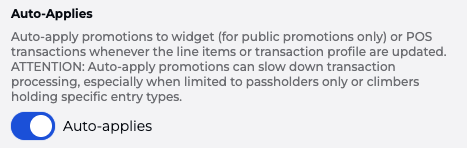
Expecting the Promotion to auto-apply? Check the Details » Auto-Applies is enabled
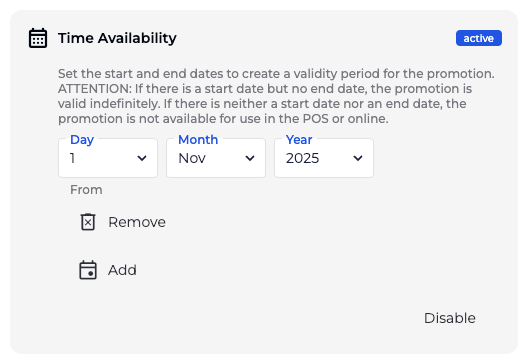
In the promotion popup, ensure your “Time Availability” settings :
Ensure the promotion is currently active
Check the start and end dates/times
Confirm the current time falls within the valid range
In the promotion popup, ensure your “Promotion Applies to Prices, Products or Price Categories” settings :
Verify the promotion is applied to the correct:
Product
Price
Price category
Check whether any restrictions are blocking the promotion:
Entry type restrictions
Tags or proficiency requirements
Other eligibility rules set in the promotion
If your promotion settings are correct, it would be good to go to your Products page, and do a quick review of your prices:
Confirm the item is being sold under the correct price or price category. If the promotion is tied to a price category, mismatched pricing will prevent it from applying
If the promotion depends on the Tag or Entry type:
The Pass must be active
Activation is based on the Start Date
This is set when the client is checked in or manually assigned
Without a Start Date, the system treats the Pass as inactive, and will not apply the promotion
Confirm the client actually meets all conditions at the time of sale
