This feature allows you to stay connected with your customers by emailing transaction receipts and invoices directly from the BETA Dashboard/BETA Point of Sale to your customers.
Templates for your electronic receipts and invoices will be created for you and added to your dashboard by the BETA team.
Please note,
Electronic Receipts are available on the BETA Club tier & above
Electronic Invoices are available on the BETA Business tier and above
To set up or update your receipt/invoice template, please contact the BETA team with the following:
Gym Logo (upload to your shared google drive folder)
BETA will downsize these images to 300×300px
Gym details:
full address
customer support email
phone number
website URL
Any company information you wish included in your INVOICE:
VAT number
company registration number
Which payment methods, if any, you'd like to reference as possible payment methods for the invoice.
This is useful if you wish to attach an payment link in the invoice. If you would like to allow Stripe online payments, BETA can embed a link into the document by which customers can complete payment via Stripe. This will automatically reconcile within BETA and mark the transaction as succeeded.
Your banking details for customers to send payment to (assuming bank transfer is a payment method you'd like to include)
i.e., Banking Name, Beneficiary Name, Account Number, SORT code, SWIFT code, IBAN
Bank Transfers are perfect for invoicing clients (typically larger bookings) & especially another business; e.g., a team building where you invoice a company and they want to pay in advance

Available on the BETA Club tier and above
What is a Receipt?
A receipt is a confirmation of a completed transaction.
What is a Receipt in BETA?
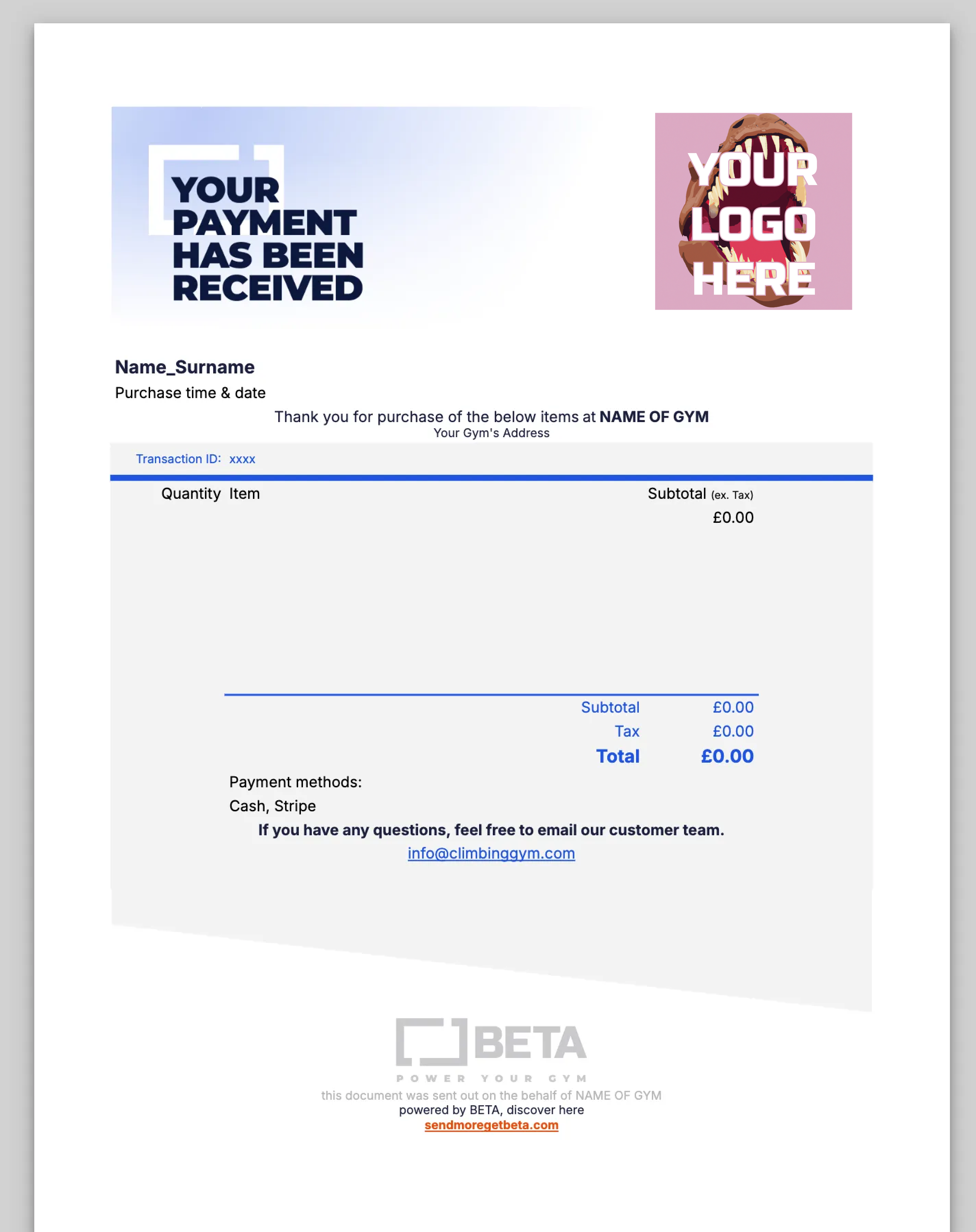
In BETA, receipts are emailed to your customer after each successful payment. The BETA Onboarding Team will set your gym up with a default receipt template, including your gym’s logo and other information, as provided by yourself. The generic template email is displayed below.

Receipts can also be sent to customers from the Sales Page directly; see how in the guide below:
Receipt Types, Print and Send Receipts
How to send and save transaction receipts via email or print them directly, including options for thermal receipts and PDF customization.
Available on the BETA Business tier and above
What is an Invoice?
An invoice is a formal document issued by a seller to a buyer that itemizes goods or services provided and states the amount of money the buyer owes, along with payment terms. It typically includes invoice number and date, seller and buyer details, description of goods or services, quantity and price, total amount due and payment terms (e.g., due date, accepted payment methods etc).
What is a BETA Invoice?
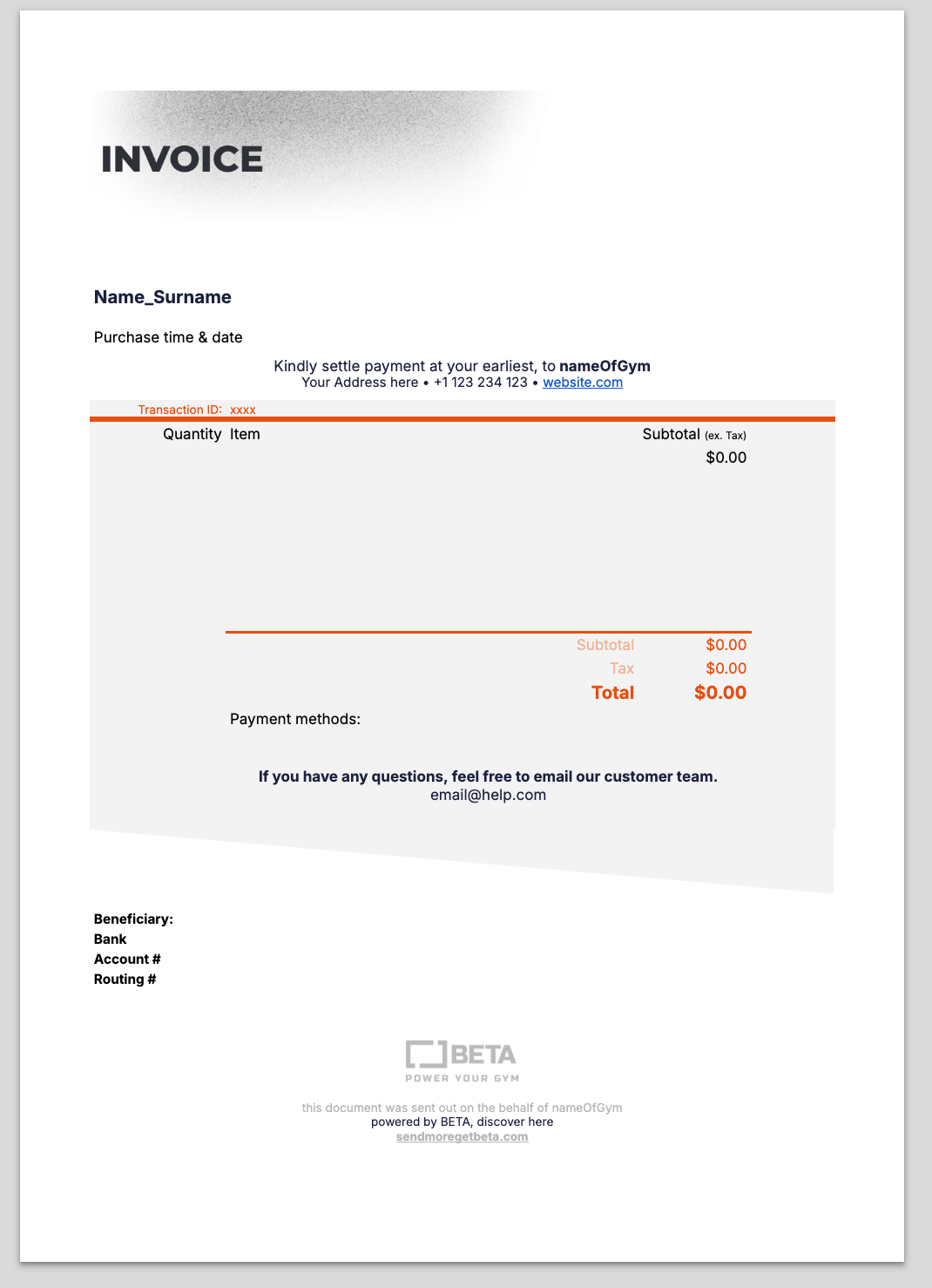
BETA generates an invoice template with default fields (due date, payment methods, company details etc) that appear on all invoices generated by BETA for your customers.
The BETA Onboarding Team will set your gym up with a default invoice template including your logo and gym information. The generic template email is displayed below.
See the below help article on how to send BETA invoices to customers,
Send and Save Invoices / Due Transactions
Manage part payments and issue passes/events for future payment through the POS system. Handle deposits and related transactions.
Fully customised receipts are available for BETA users on the Enterprise tier and above
Contact our team with the design of your receipt, and we will implement that into BETA.
Dimensions (Please keep the the exact dimensions below):
Ask the BETA team, we can send you .ai files that fit our templates exactly.
Header: 1350 x 412px
Divider: 1350 x 143px
Footer: 1350 x 143px
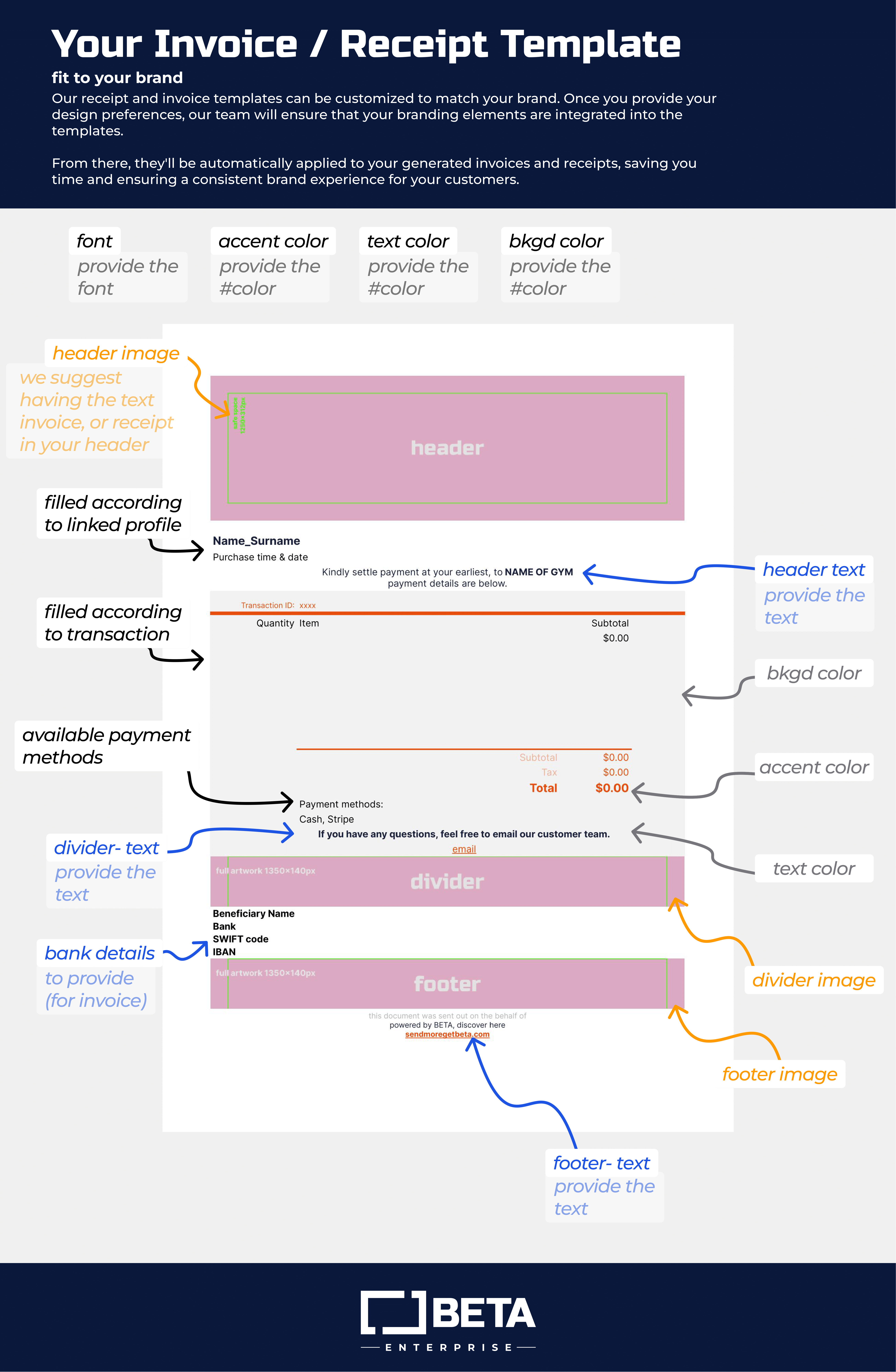

The templates are set up by the BETA team during your onboarding stage and can be edited to a certain extent whereby the name of the gym and its personal details are adjusted to your liking, however due to the nature of the templates set up, certain components like the invoice due date has to be standardised.
No, the due date cannot be changed on a per-invoice basis. It is defined by the invoice template, which applies consistently to all invoices.
For example, if the template is set to “due in 30 days,” that will apply to every invoice generated from that template.
Should you need an update in the future, contact the BETA Team and one time adjustments can be made

Still Lost? We’ve got you covered!
Use the search box on the main Help to search the entire list of available help guides, or drop your question in the Support Chat!
